
Smart Assistant
The System User Assistant is XDevelop's unique end-to-end AI empowerment capability: it not only helps you develop systems, but also embeds an AI assistant into the systems you generate, allowing end users to operate the system through natural language conversations — truly achieving "development as empowerment."
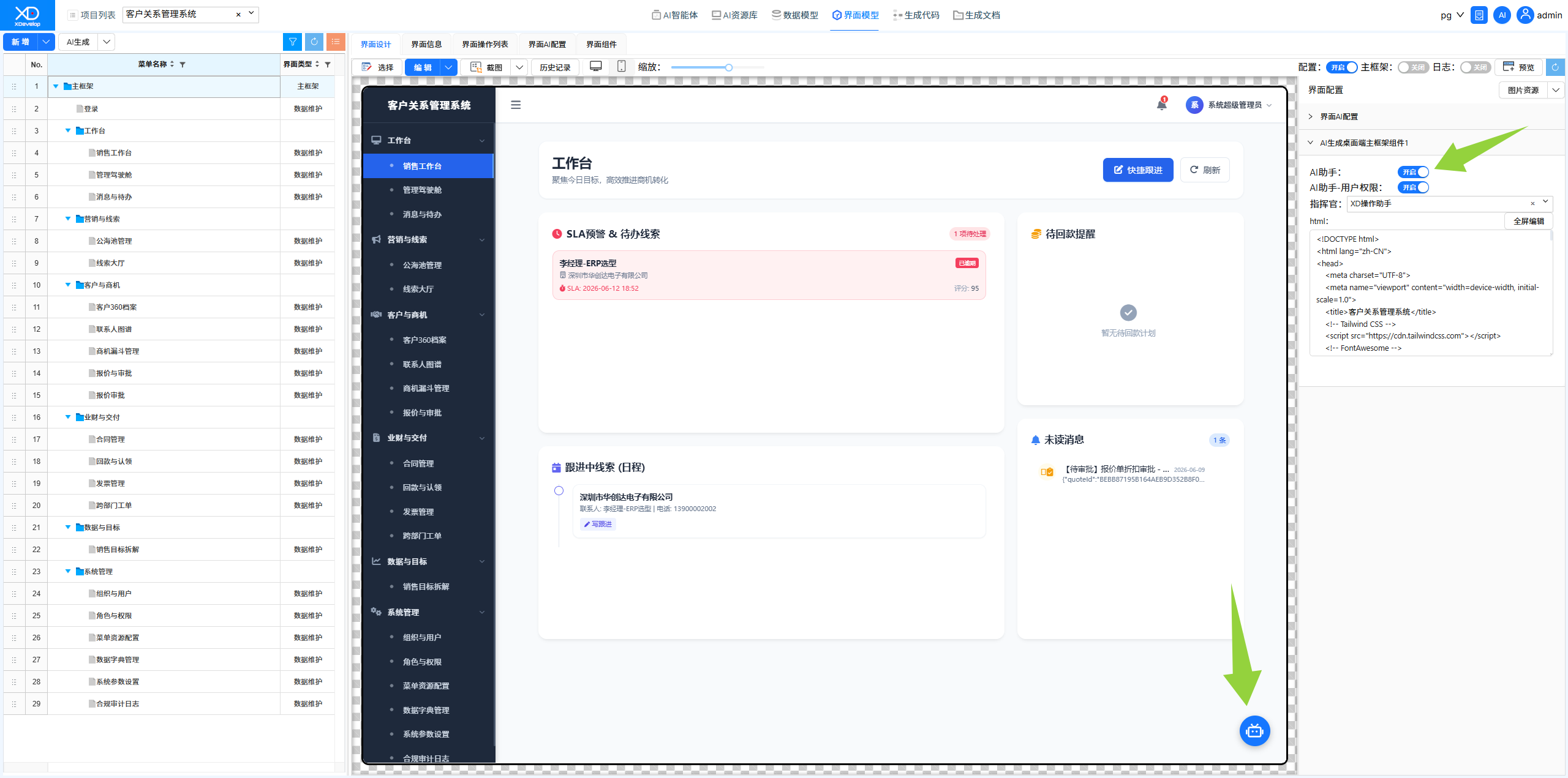
Figure: UI model right panel — AI Assistant toggle and Commander configuration
Configuration Steps
1. Enter "UI Model" and select the "Main Framework" interface from the menu list.
2. In the right-side configuration panel, find the AI Assistant toggle and turn it on.
3. In the Commander configuration option, select the assistant type to bind (usually choose the XD Operation Assistant).
4. After configuration is complete, the AI assistant floating button will appear in the system interface.
User Experience
After configuration, open the generated system and users will see a smart assistant floating button in the bottom-right corner of the page. Clicking this button opens the AI conversation window, and users can operate the system just like talking to a human assistant:
- Query Data — Enter what you want to look up directly in the conversation window, and the system automatically returns results
- Enter Data — Dictate the information to be entered, and the system automatically parses and writes it to the corresponding data tables
- Generate Statistics — Describe the statistical dimensions you want, and the system automatically generates analysis reports
Figure: AI assistant floating button and conversation interface in the bottom-right corner of the system
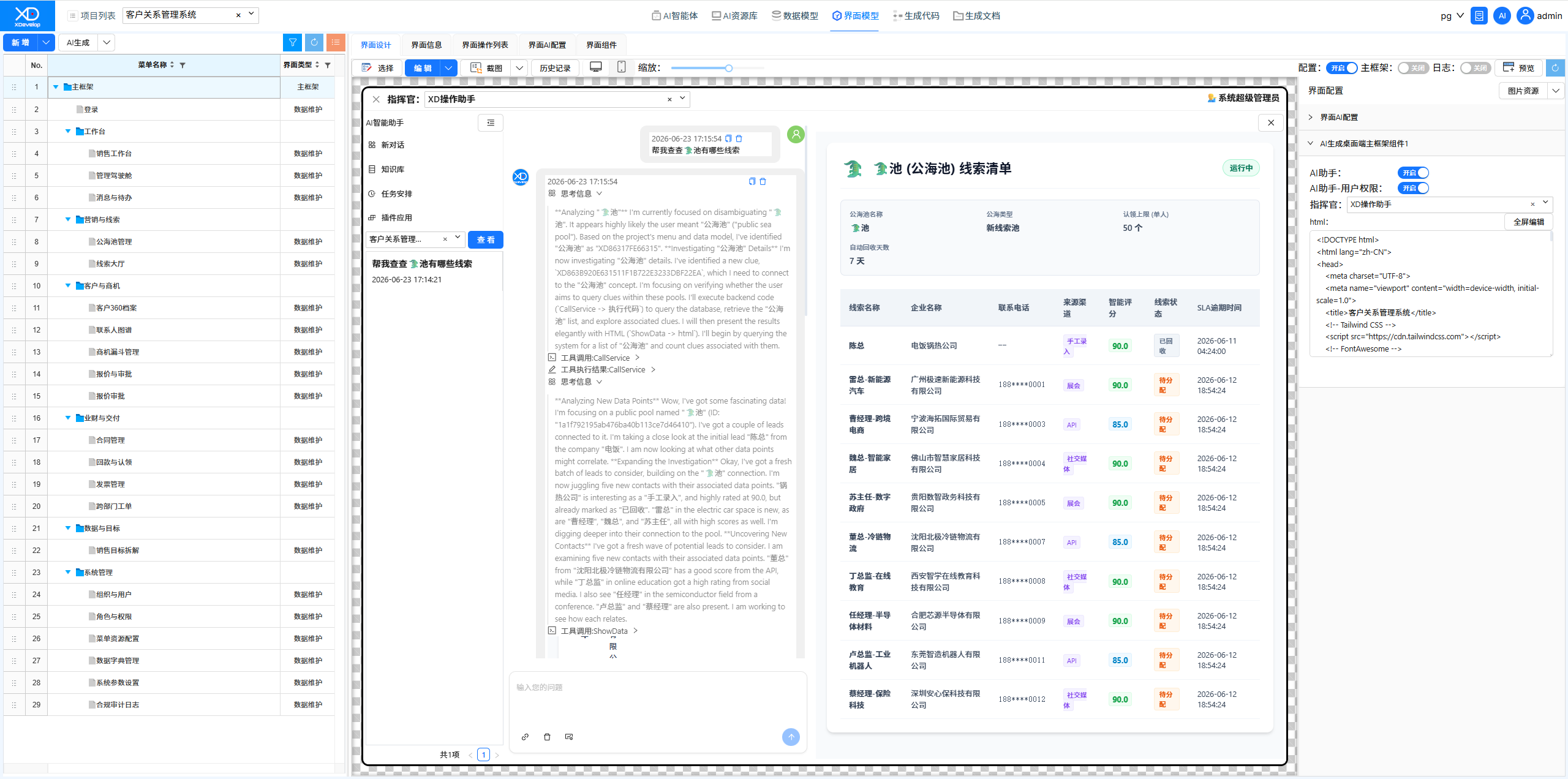
The embedded Commander upgrades your developed system from a "tool" to a "smart assistant." End users no longer need to learn complex menu operations — they simply state their needs, and the AI operates on their behalf — greatly reducing training costs and improving usage efficiency.