
New Project
After logging in successfully, you need to create a new project to start development. A project serves as the container for managing all development tasks and resources.
Creation Steps
Figure: New project screen
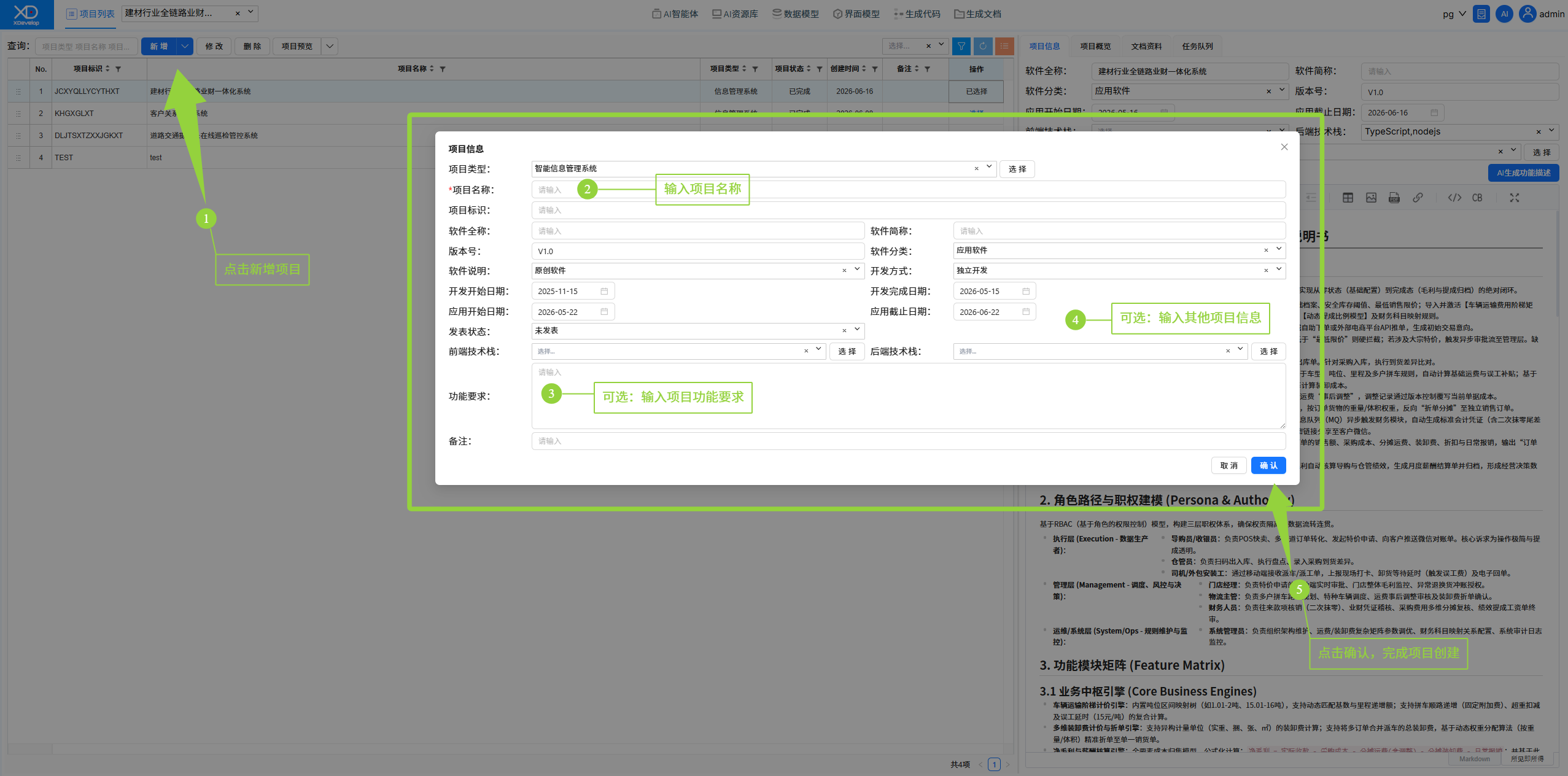
1. On the main interface, click the "Add" button.
2. Enter the project name and description in the popup dialog.
3. Select the project type (Smart Information Management System).
4. Click "OK" to complete project creation.
Tip
Enter detailed functional requirement descriptions for better alignment with your needs. It is recommended to clearly specify in the description:
- The main purpose of the system
- Core functional modules
- Scope of data management
- User role requirements
Project Types
Currently, XDevelop supports the following project types:
Notes
- Project names must be unique within the same workspace
- Project names can be modified after creation
- The more detailed the project description, the better the AI-generated system will align with your needs