
Modification & Iteration
After the initial system is generated, you can use XDevelop's built-in developer AI assistant to refine details and continuously iterate on the system. Whether modifying feature logic, adjusting page layout, or fixing issues discovered during runtime, everything can be done quickly through natural language conversations.
Basic Workflow
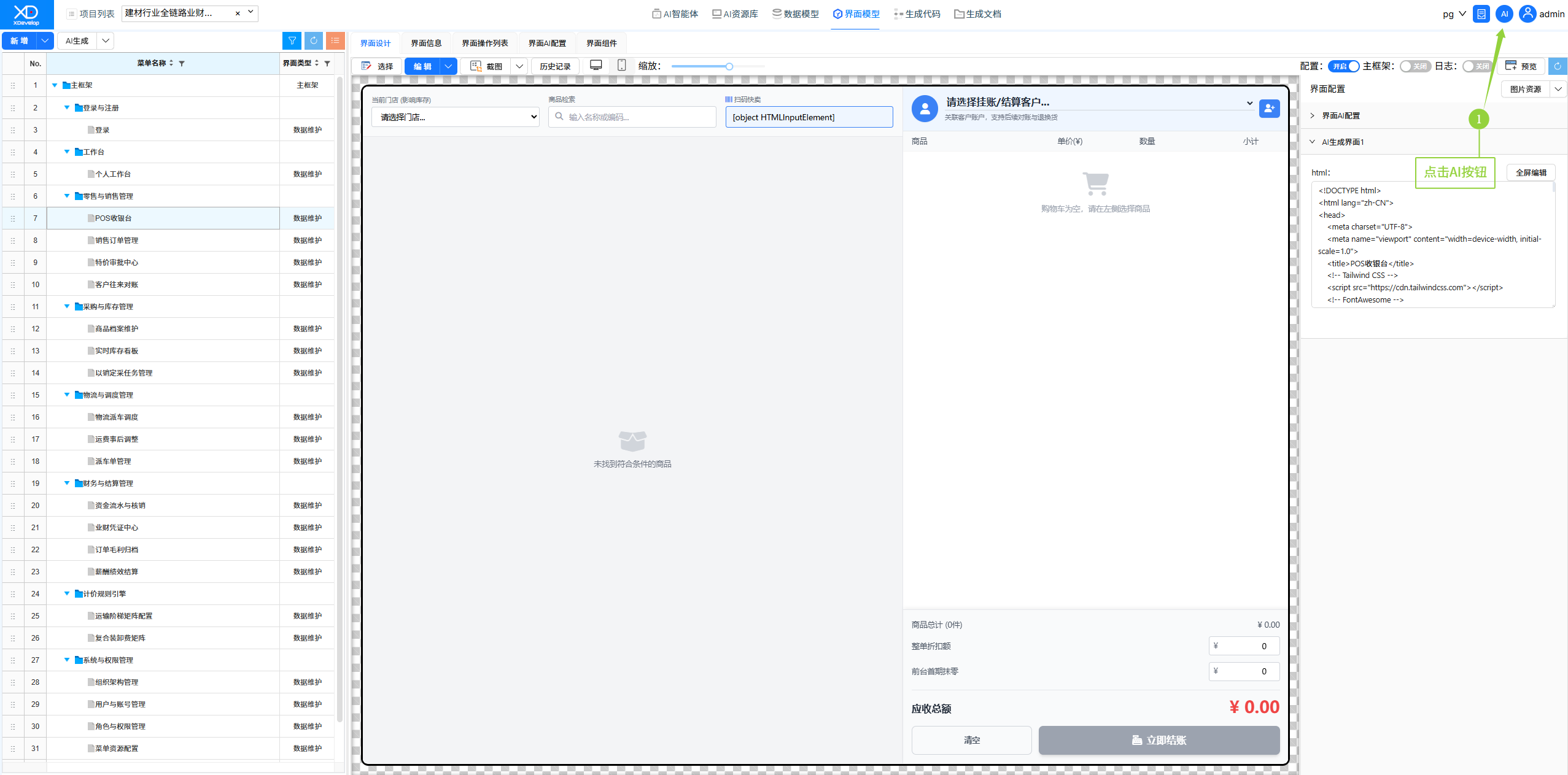
1. Find the "AI" button in the system interface and click it to open the conversation window.
2. Describe the modification you want using natural language — for example, "Add a department filter feature to the user list."
3. The AI will automatically locate the relevant code based on your description and complete the modification.
4. After the modification is complete, rebuild and run to see the updated results.
Figure: Click the AI button to open the conversation window
Common Conversation Scenarios
New Features
UI Adjustments
Bug Fixes
Performance Optimization
Style Adjustments
Iterative development is the norm for information management systems. Making good use of the XD Development Assistant Commander for conversational modifications can save significant time on manual coding and debugging. A single conversation often takes only tens of seconds — much faster than traditional manual modification methods.
When conversing, it is recommended to use clear and specific language to describe requirements, including key information such as feature, location, and expected result. The AI will understand and execute modifications more accurately.
Best Practices
- Change one issue at a time — Break down complex modification requirements into multiple conversations and address them one by one
- Provide sufficient context — Clearly specify which page and which component to modify
- Use the rollback feature wisely — If the modification result is unsatisfactory, use version rollback
- Compile and verify promptly — Compile and run immediately after each modification to verify the results