
Initial Preview
After a successful build and run, you have completed the initial version of project generation! You can now enter the UI model for testing and usage.
Testing Steps
Figure: UI model and system testing
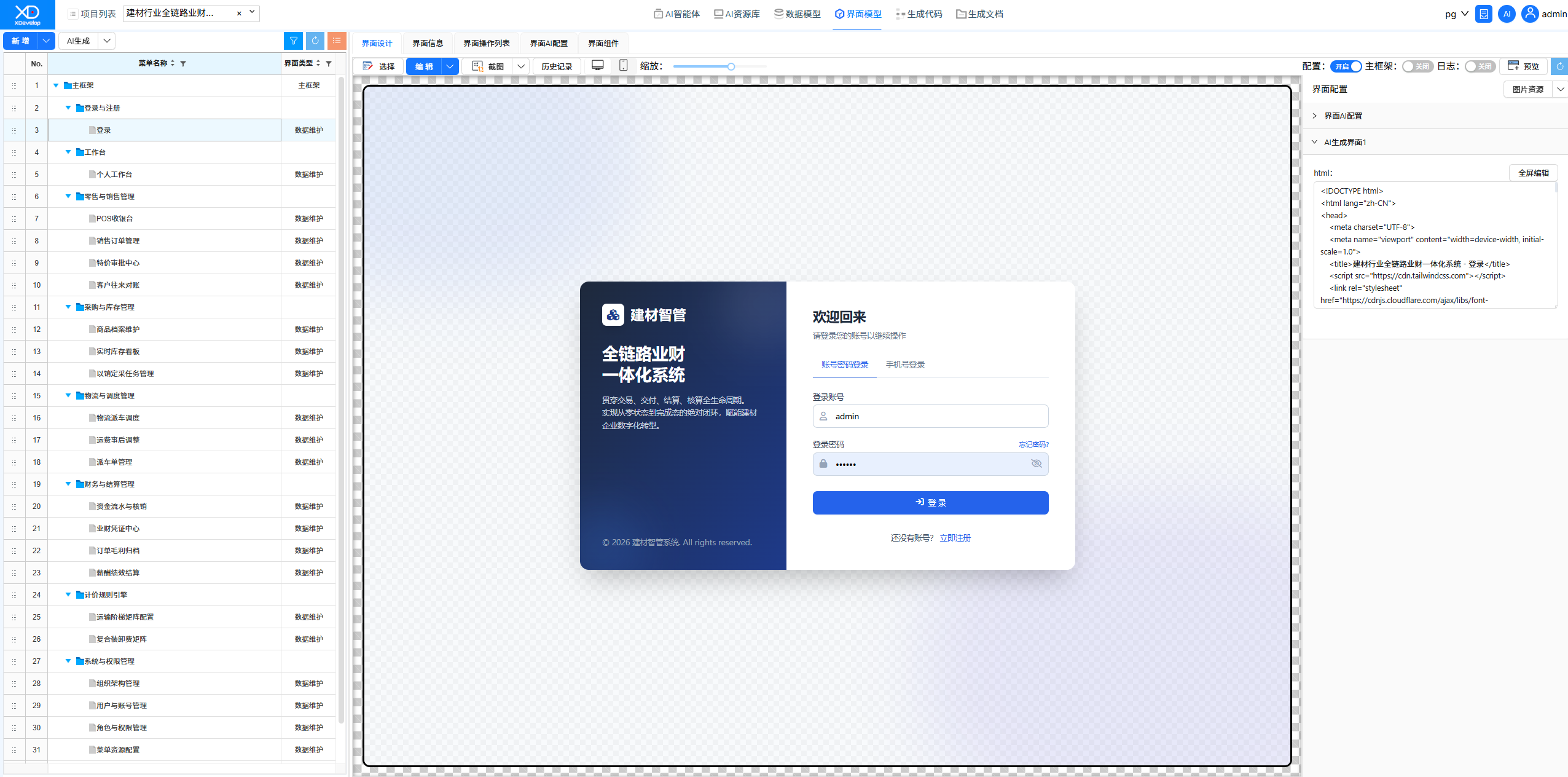
1. After the system is running, click to enter the "UI Model" screen.
2. In the UI model, you can view all the automatically generated functional menus.
3. The system comes with a default built-in user: admin, with a default login password: 123456.
4. Test each feature point one by one to verify whether the system meets business requirements.
5. Record features that need adjustment and optimization, preparing for subsequent detail refinement.
The UI model provides a comprehensive system preview, helping you quickly understand the AI-generated system architecture and feature layout.
Testing Checklist
It is recommended to test along the following dimensions:
Feature Completeness
- Whether all functional menus display properly
- Whether CRUD operations on each page are functional
- Whether data validation rules are reasonable
Data Model
- Whether the data table structure meets requirements
- Whether relationships between tables are correct
- Whether field types and constraints are appropriate
User Experience
- Whether page layout is reasonable
- Whether operation flows are smooth
- Whether prompts and messages are clear
Recording Issues
During testing, it is recommended to record issues using the following format:
These records will become important input for the next step — Modification & Iteration.