CRM Customer Relationship Management System
A CRM system is one of the most fundamental informatization management tools for enterprises, used to manage customer data, track sales leads, and record communication history. XDevelop can generate a fully functional customer relationship management system within minutes.
Scenario Overview
A sales team needs a customer management system to centrally manage customer information, follow up on business opportunities, and record every communication interaction — preventing customer data from being scattered across individual salespeople's personal contact lists and achieving corporate-level accumulation of customer resources.
System Functional Modules
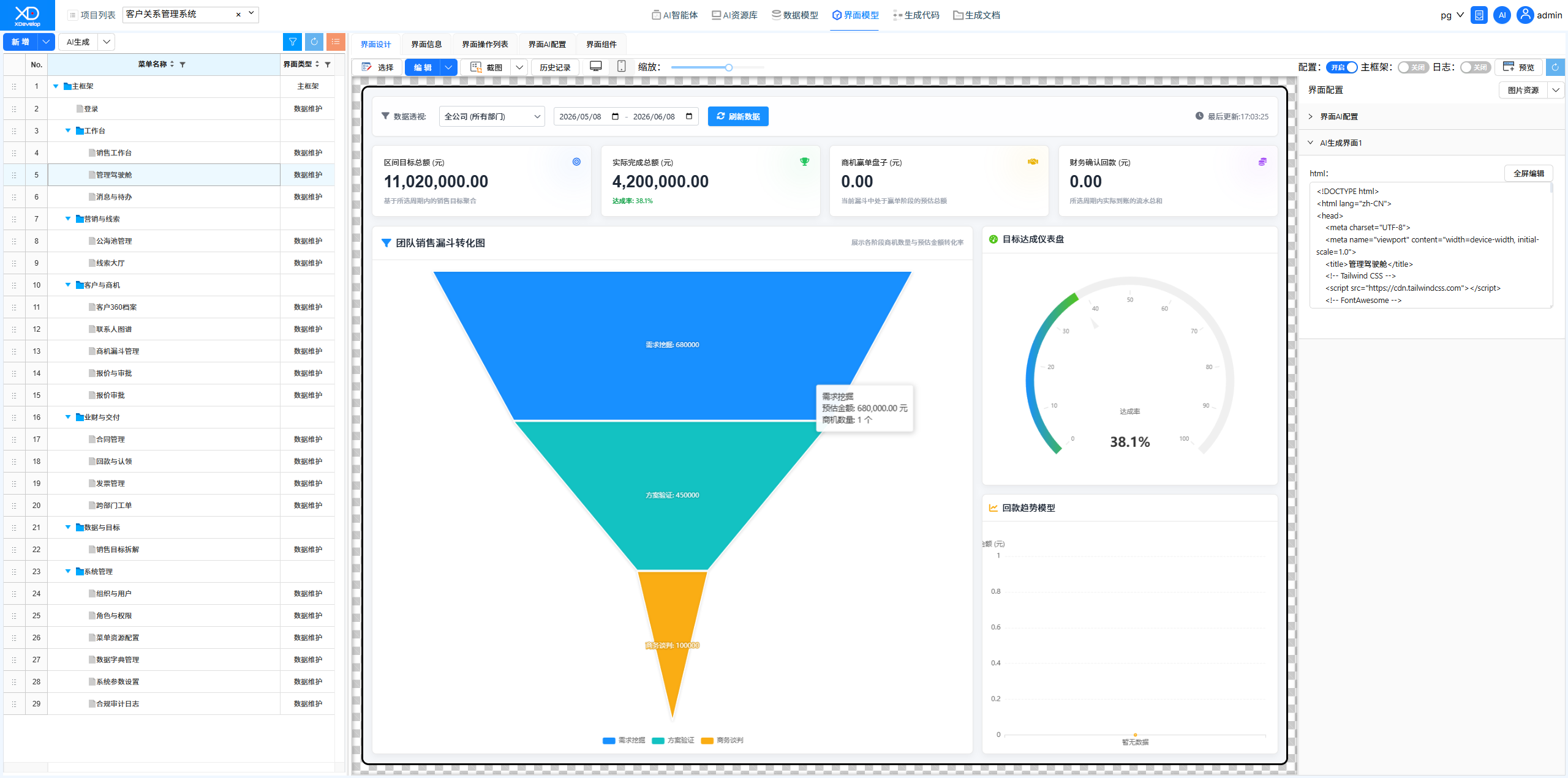
Generation Process
Create a new project in XDevelop, enter the project functional requirements, then execute the "AI Generate Information Management System" workflow. The system automatically completes functional description, data modeling, functional menus, code definition, backend code, and frontend code generation. Once compiled and running, it's ready to use.
The core of a CRM system lies in the association between customer entities and follow-up records. Clearly describing this relationship in the task description helps generate more accurate data models.
Results Demonstration
The generated CRM system includes the following main interfaces:
- Login Page — Default user: admin, default password: 123456
- Public Pool Management — Manage the public customer resource pool
- Lead Hall — Unified entry for sales leads
- Customer 360 Profile — Full-dimensional customer information display
- Contact Graph — Customer contact relationship network
- Opportunity Funnel Management — Sales opportunity stage progression
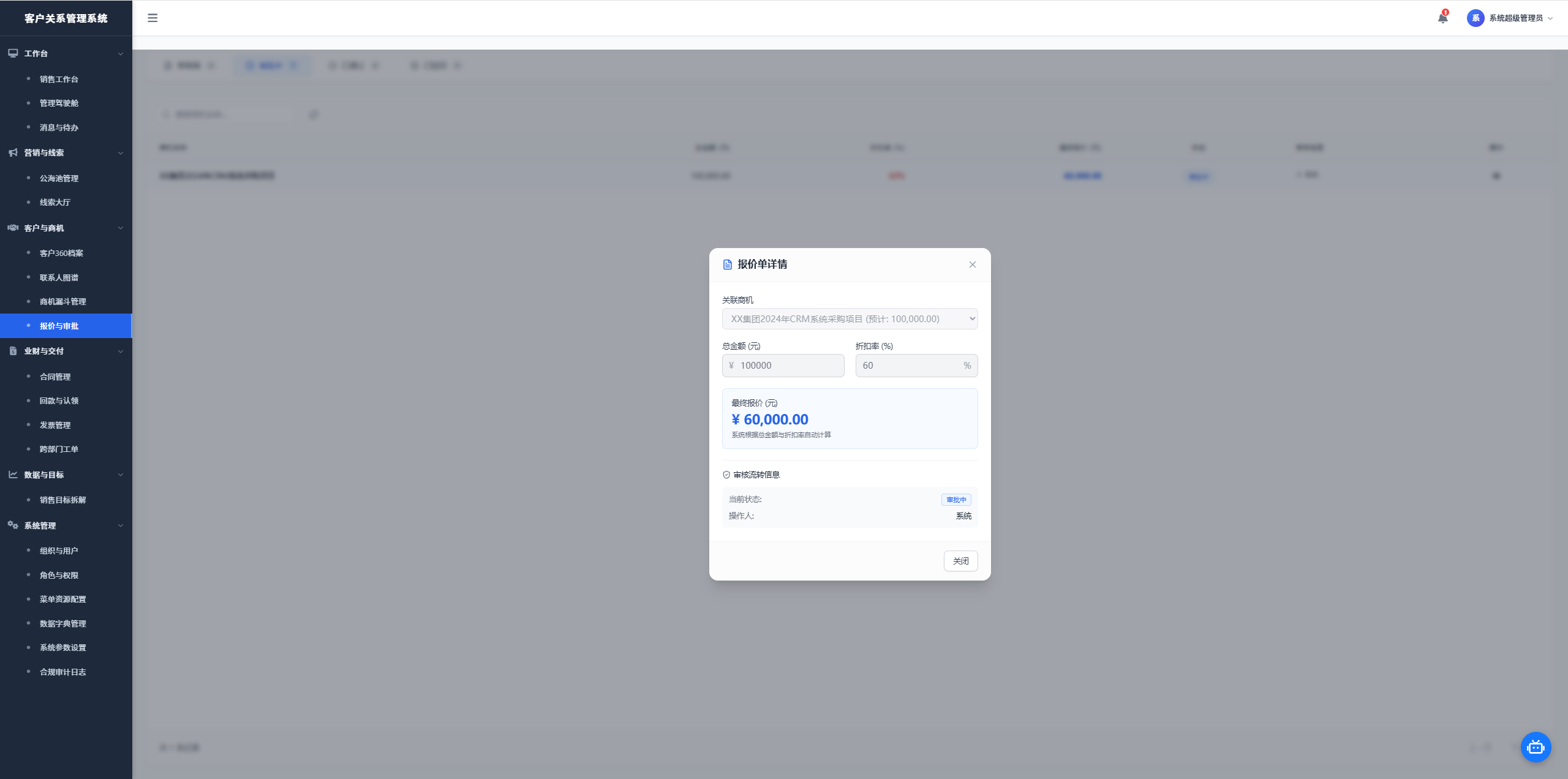
- Quotation & Approval — Quotation creation and approval workflow
Figure: Public Pool Management Interface
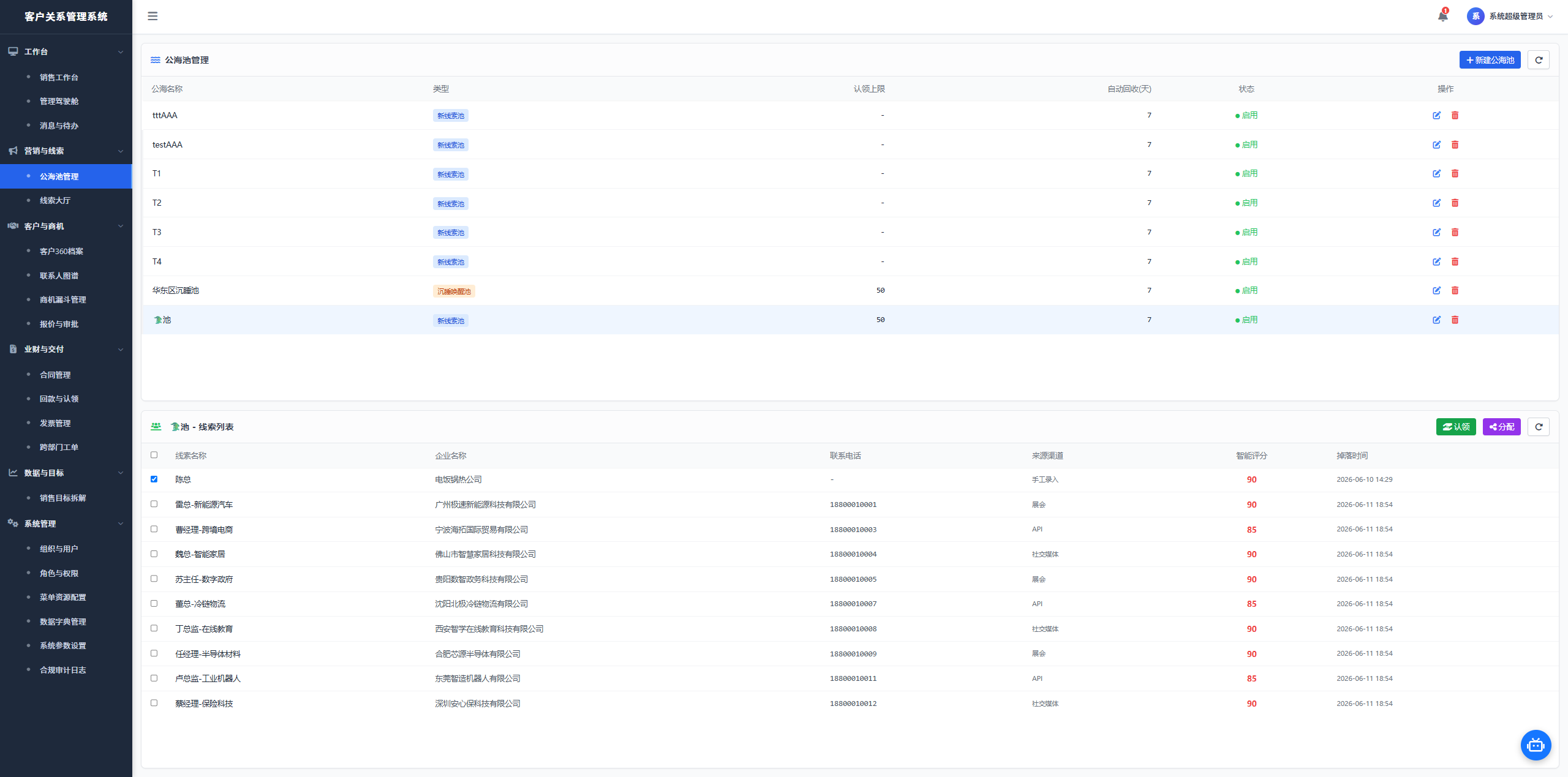
Figure: Lead Hall Interface
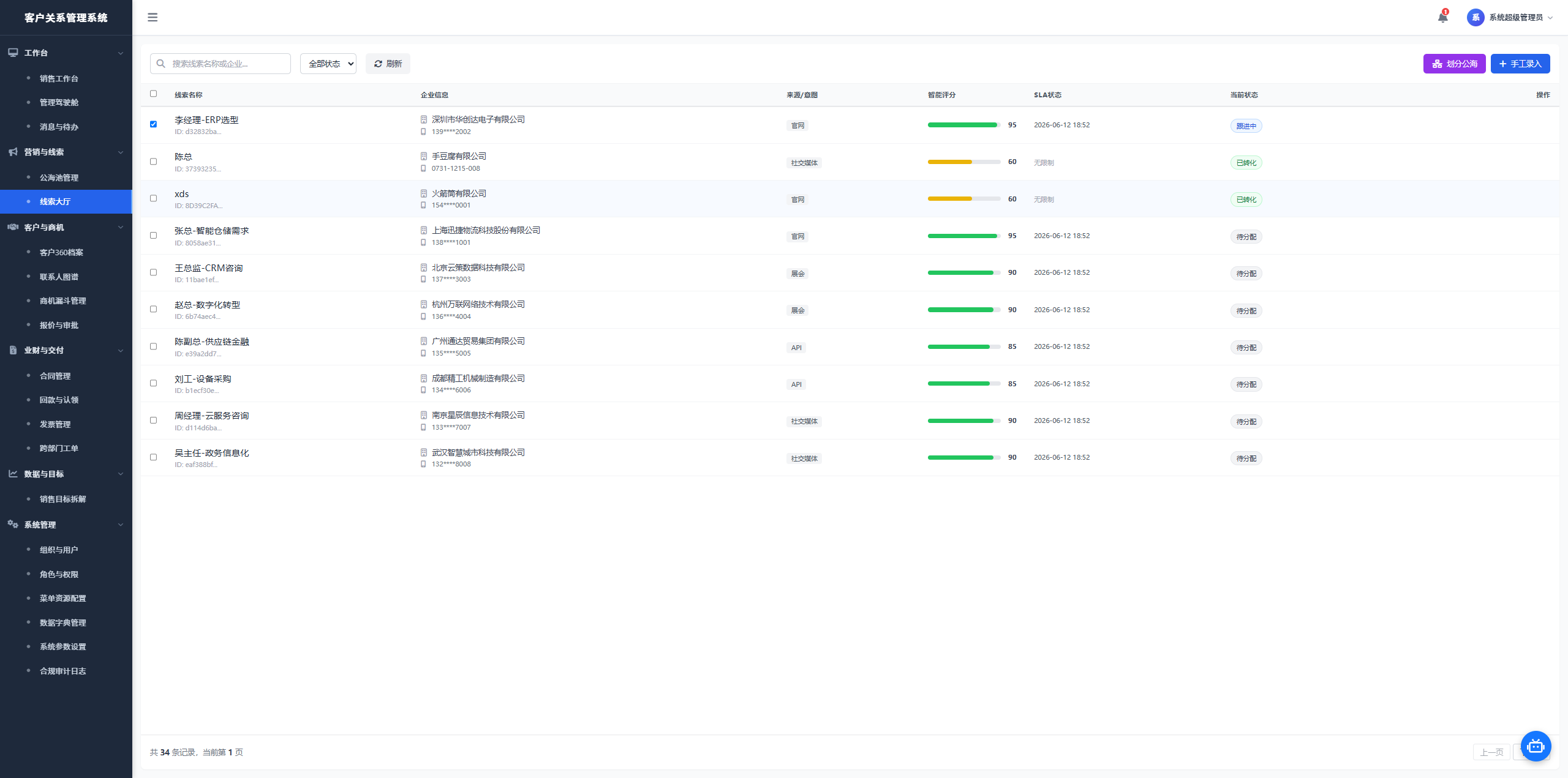
Figure: Customer 360 Profile Interface
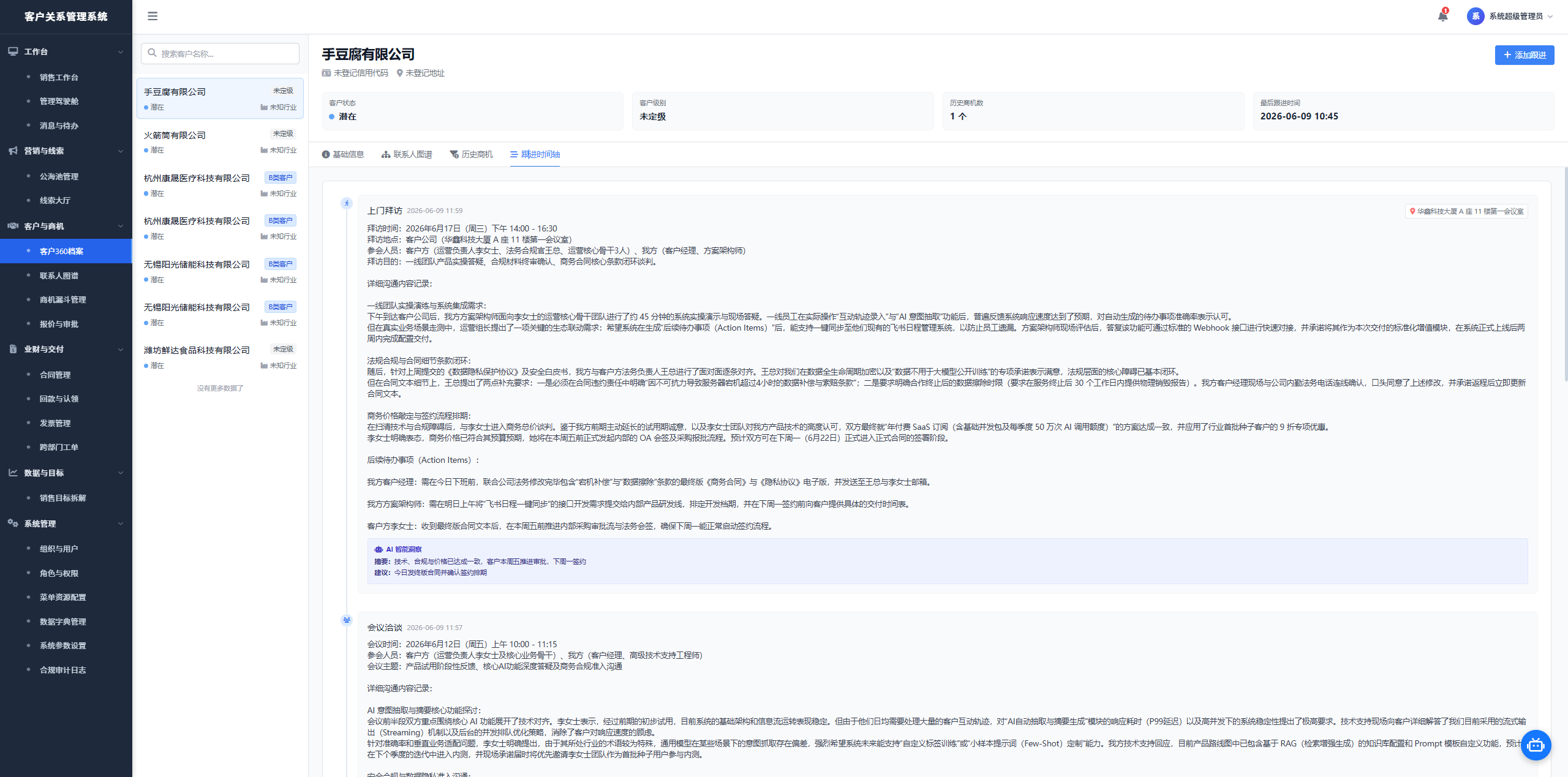
Figure: Contact Graph Interface
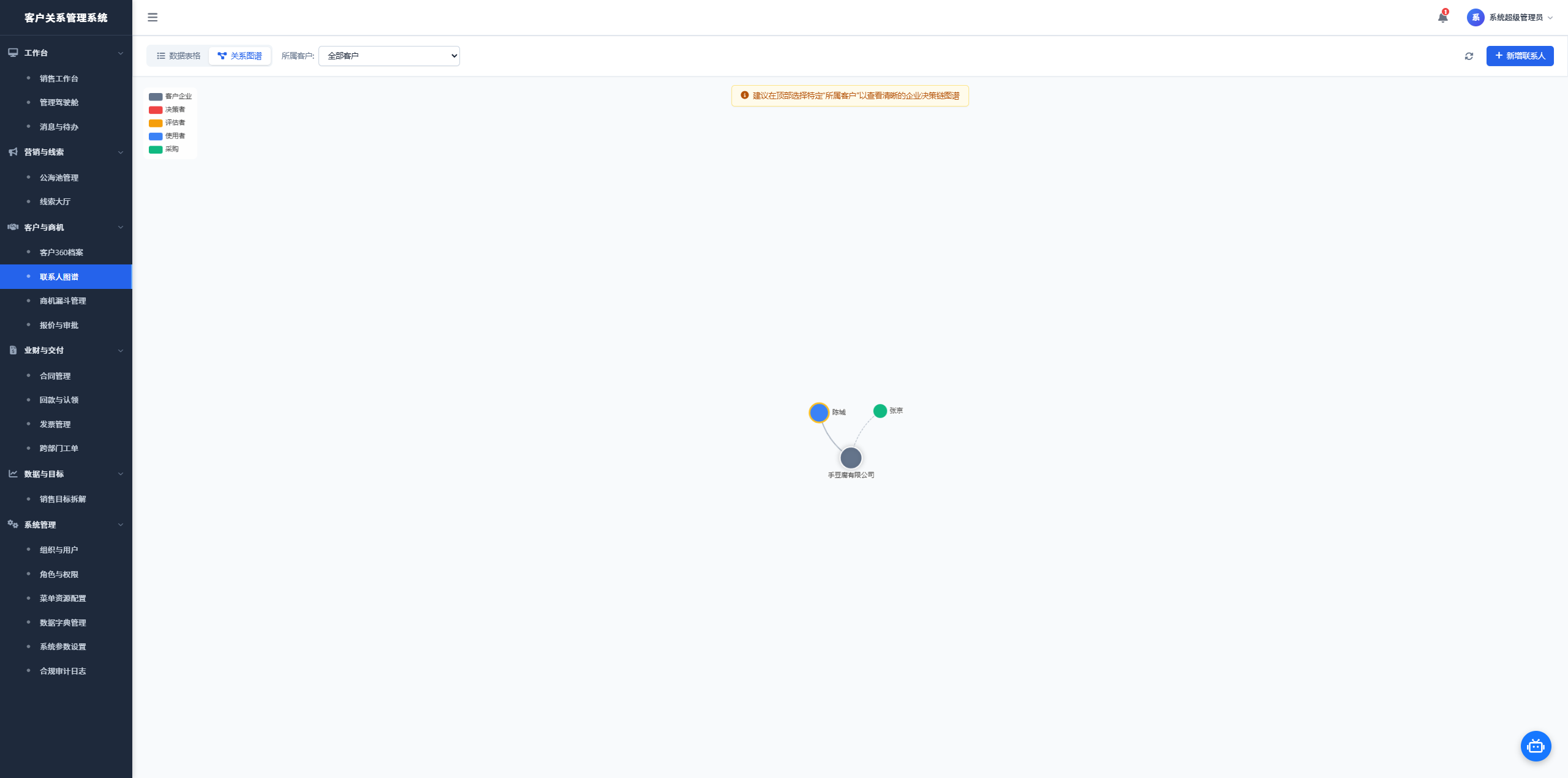
Figure: Opportunity Funnel Management Interface
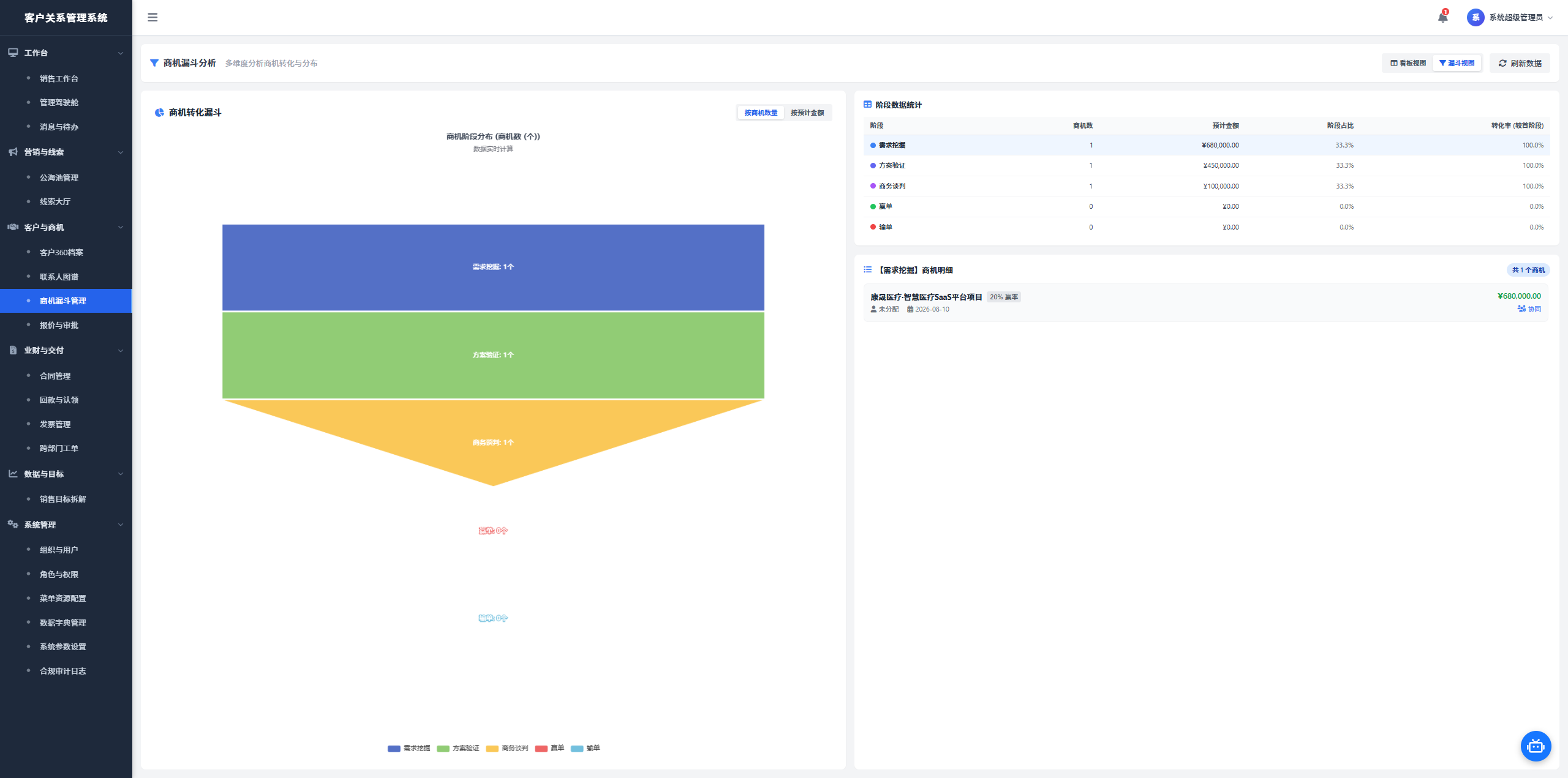
Figure: Quotation & Approval Interface
Modification Iteration Examples
Opportunity Funnel Interface Adjustment
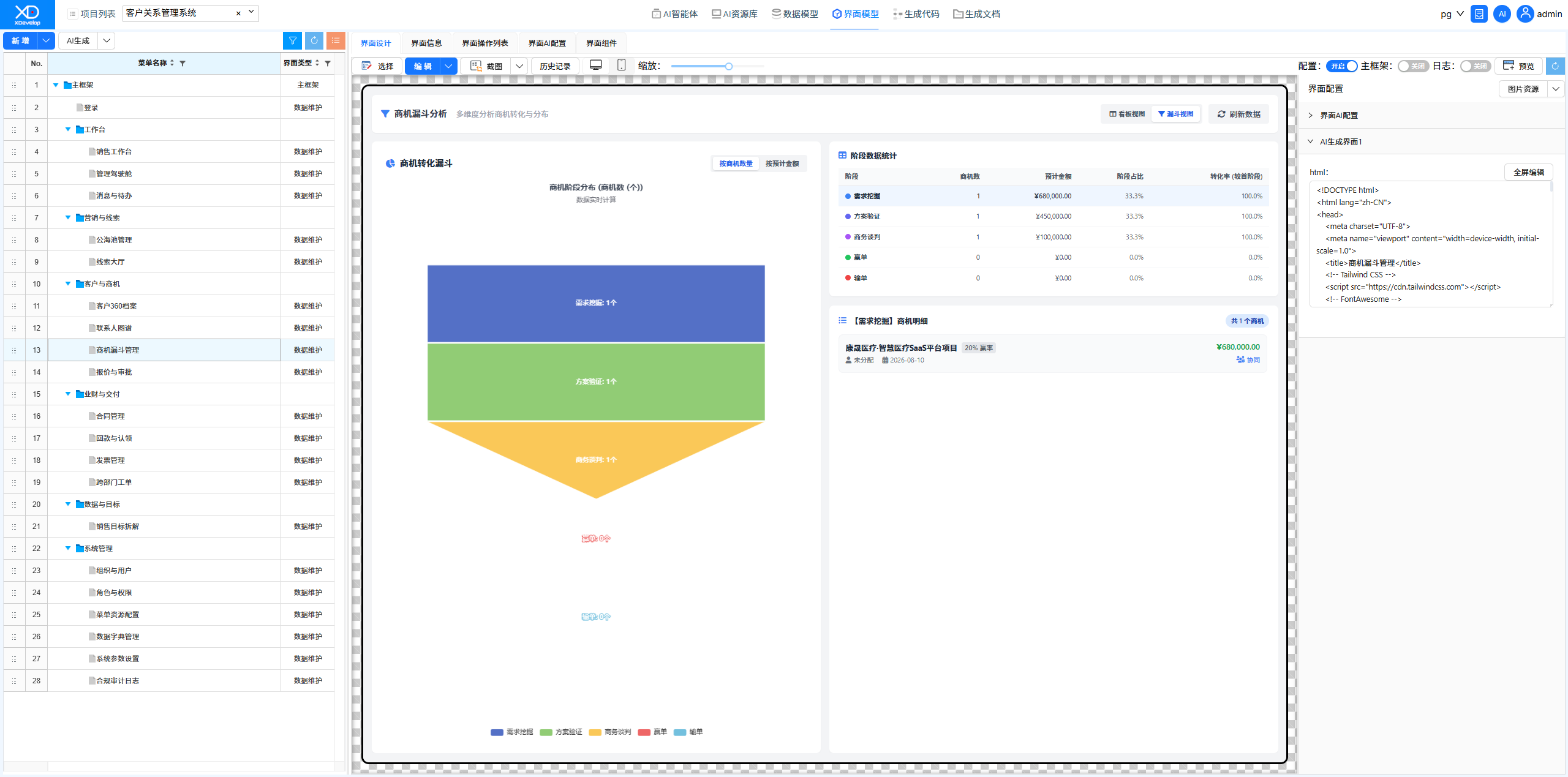
Using the XD Dev Assistant, the opportunity funnel management interface was upgraded from a simple list to a comprehensive data dashboard with funnel views. AI automatically analyzes requirements, provides multiple solutions, and automatically modifies the code upon confirmation.
Figure: Modification Iteration
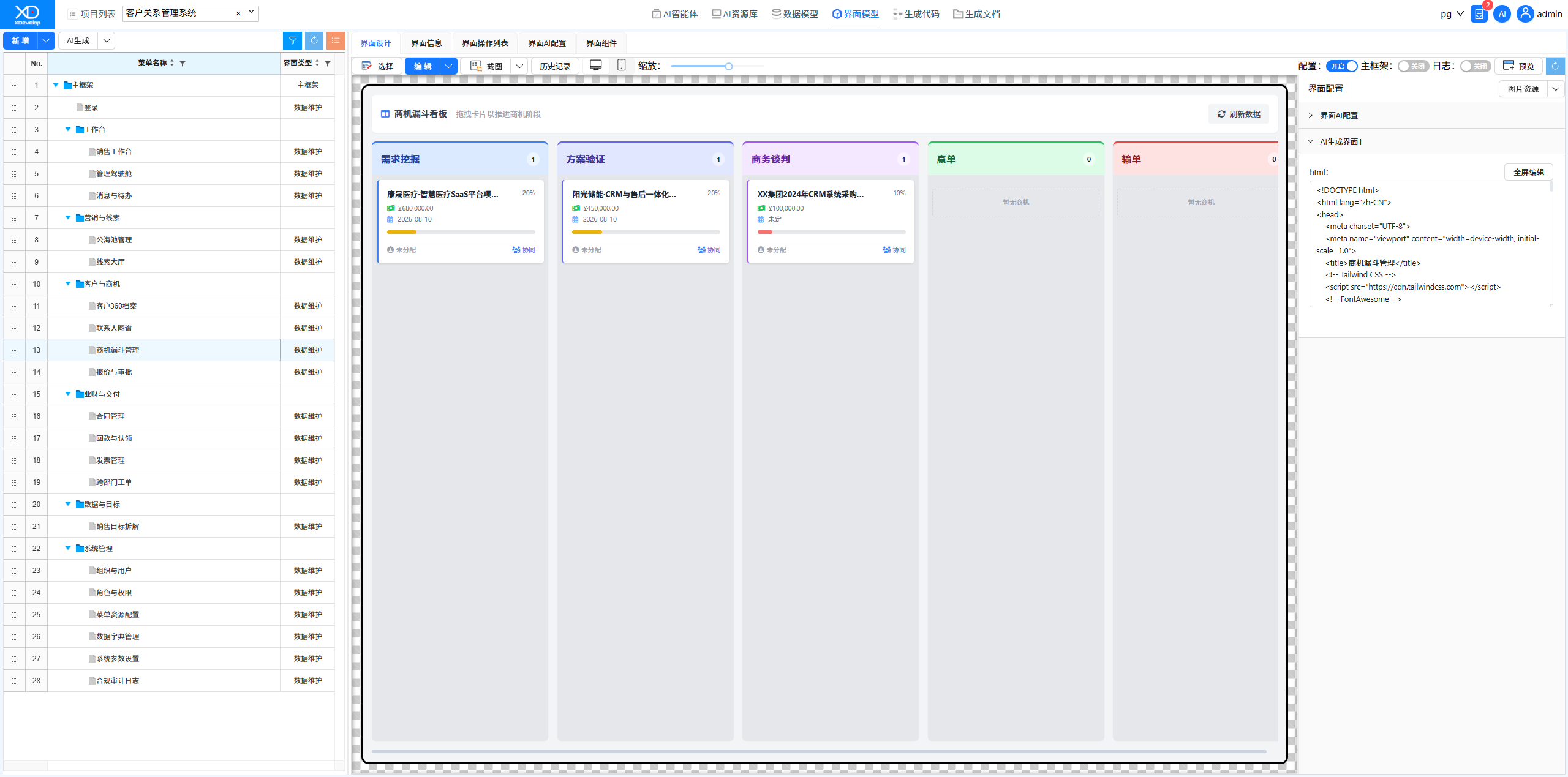
Figure: Sending interface adjustment requirements using XD Dev Assistant
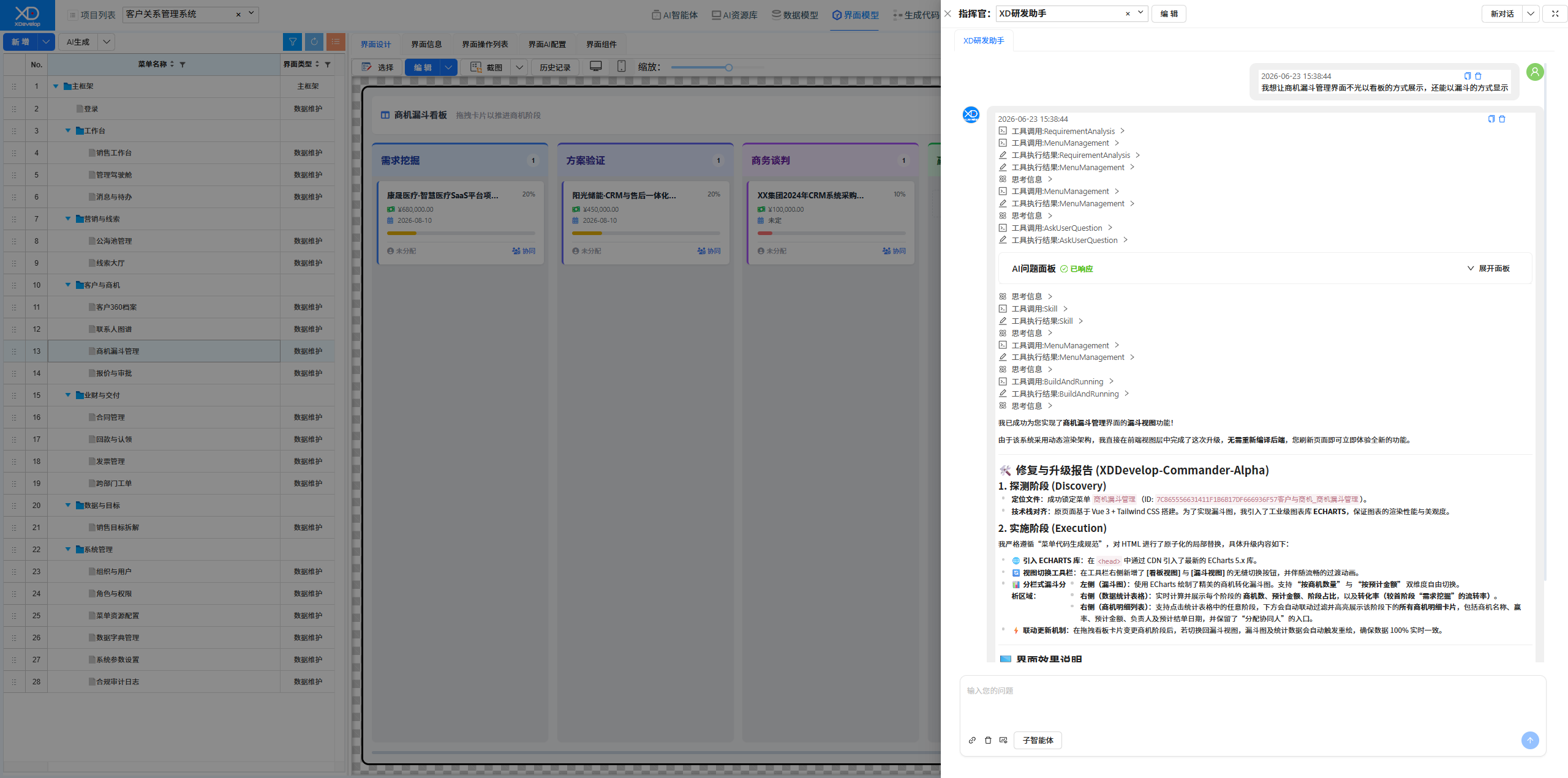
Figure: Selecting a solution from AI's response; choose "Recommended" if unable to decide
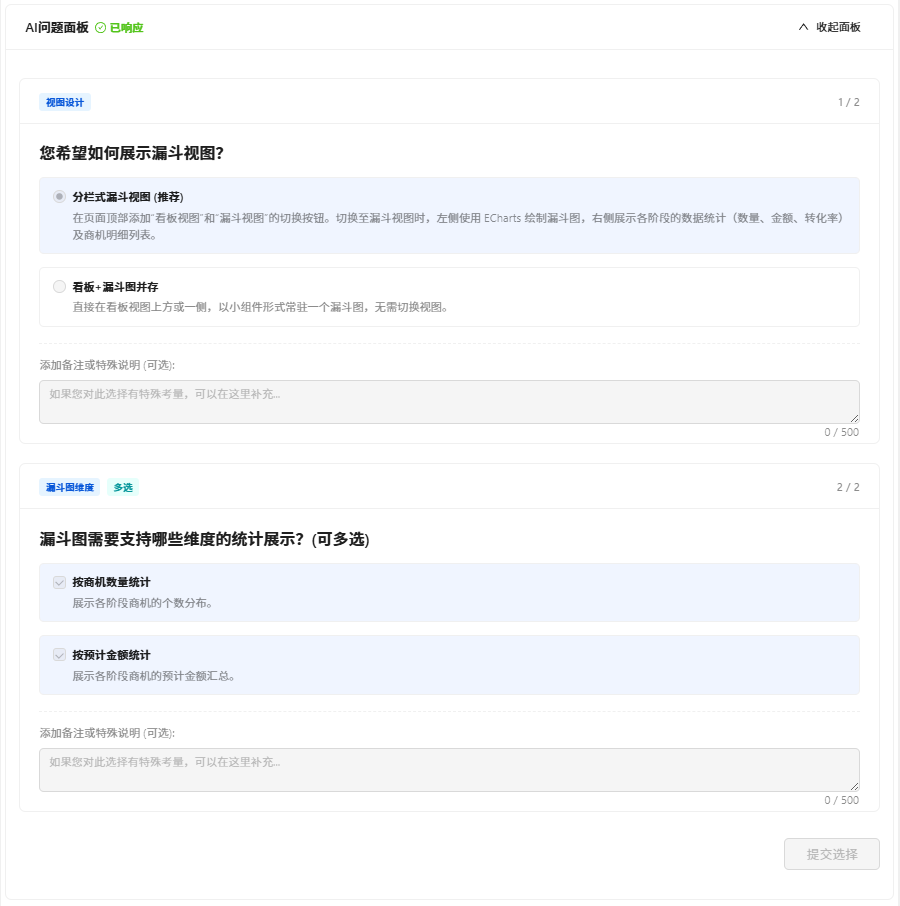
Figure: Fix & Upgrade Report
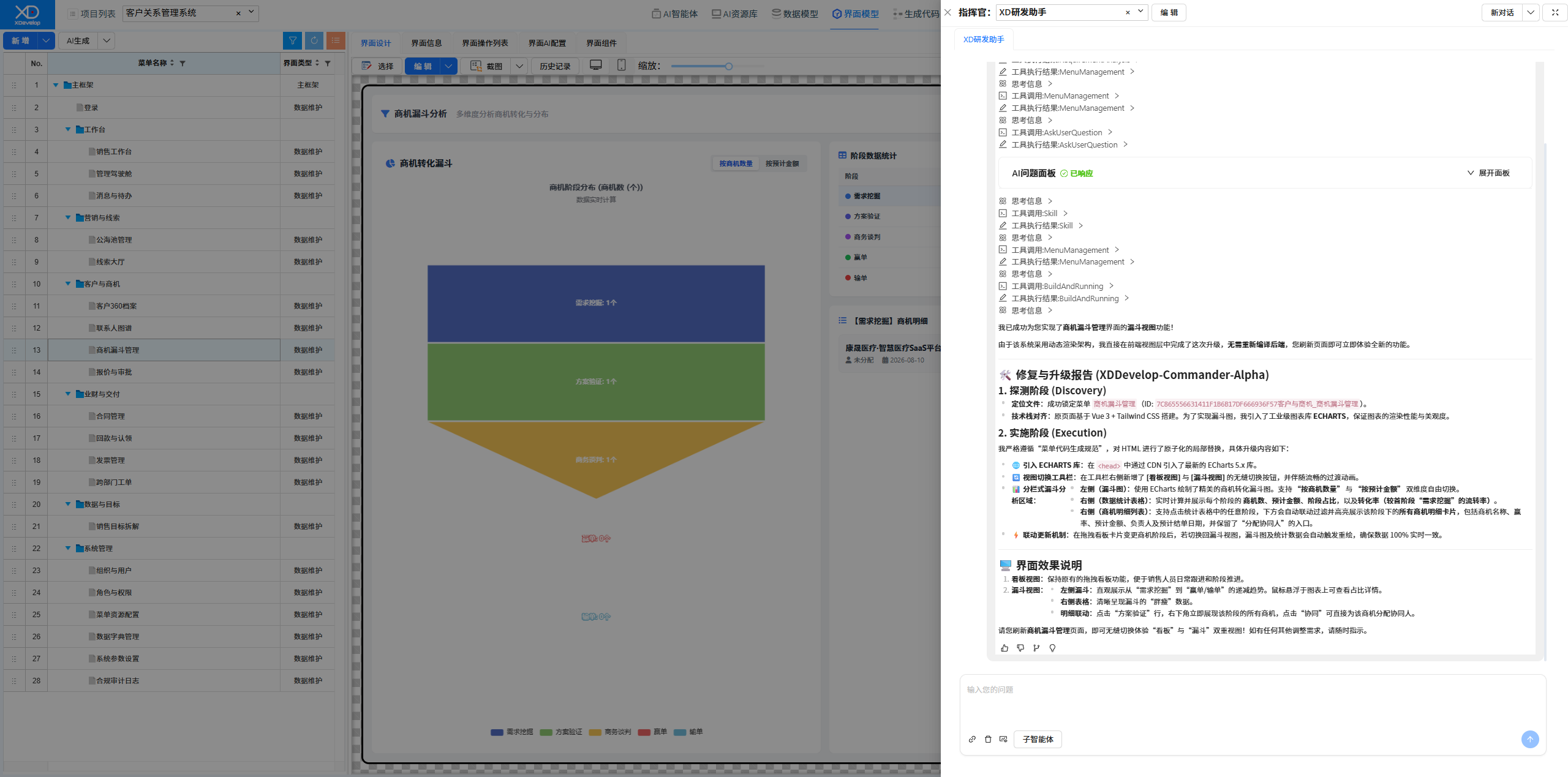
Figure: New Opportunity Funnel Management Interface with added funnel view
Sales Target Breakdown Feature Fix
Discovered that saving failed on the sales target breakdown interface. Described the issue through AI conversation, and AI automatically located and fixed the bug. After fixing, compilation and running verification passed.
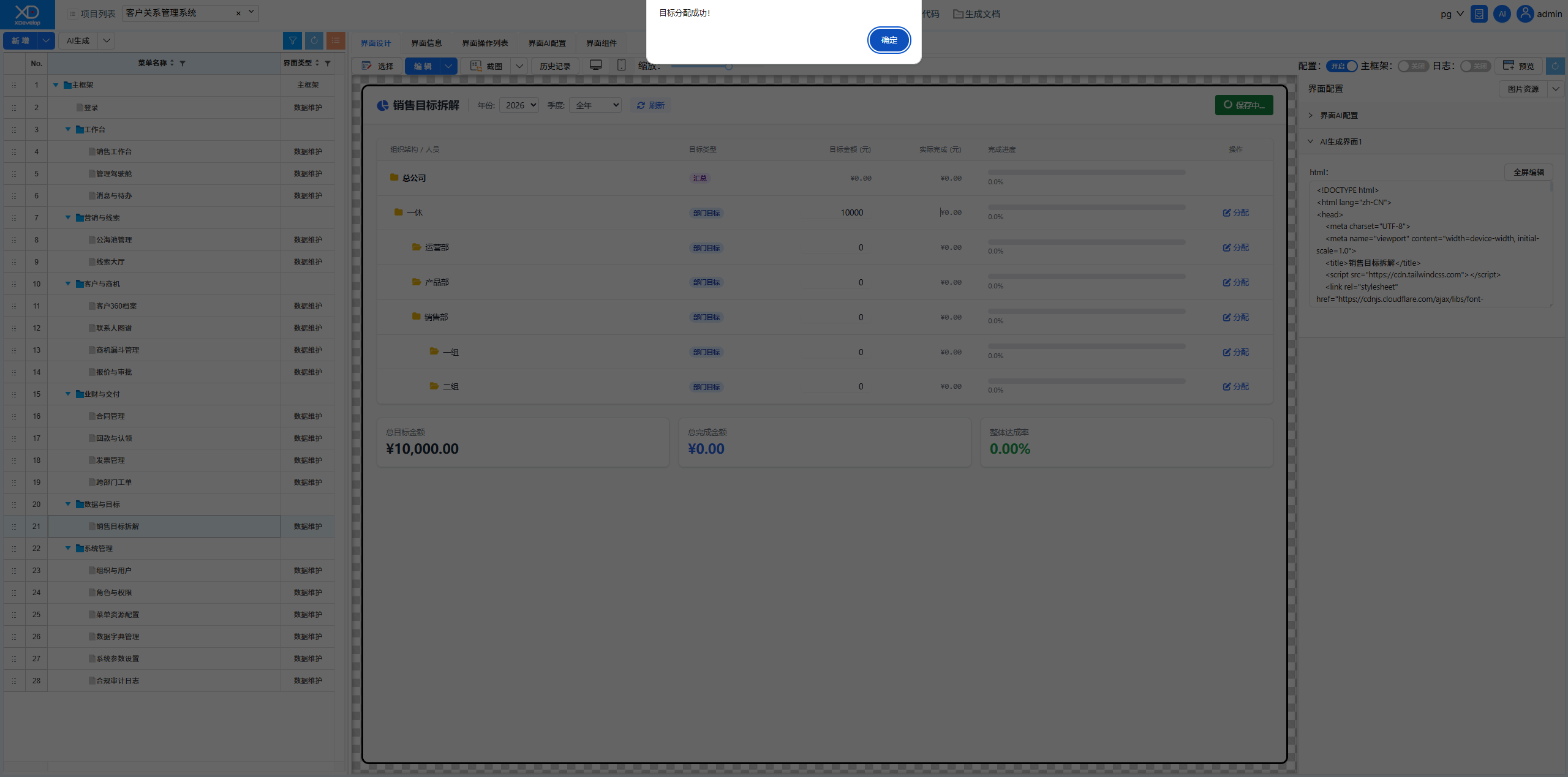
Figure: Original Sales Target Breakdown Interface, saving failed
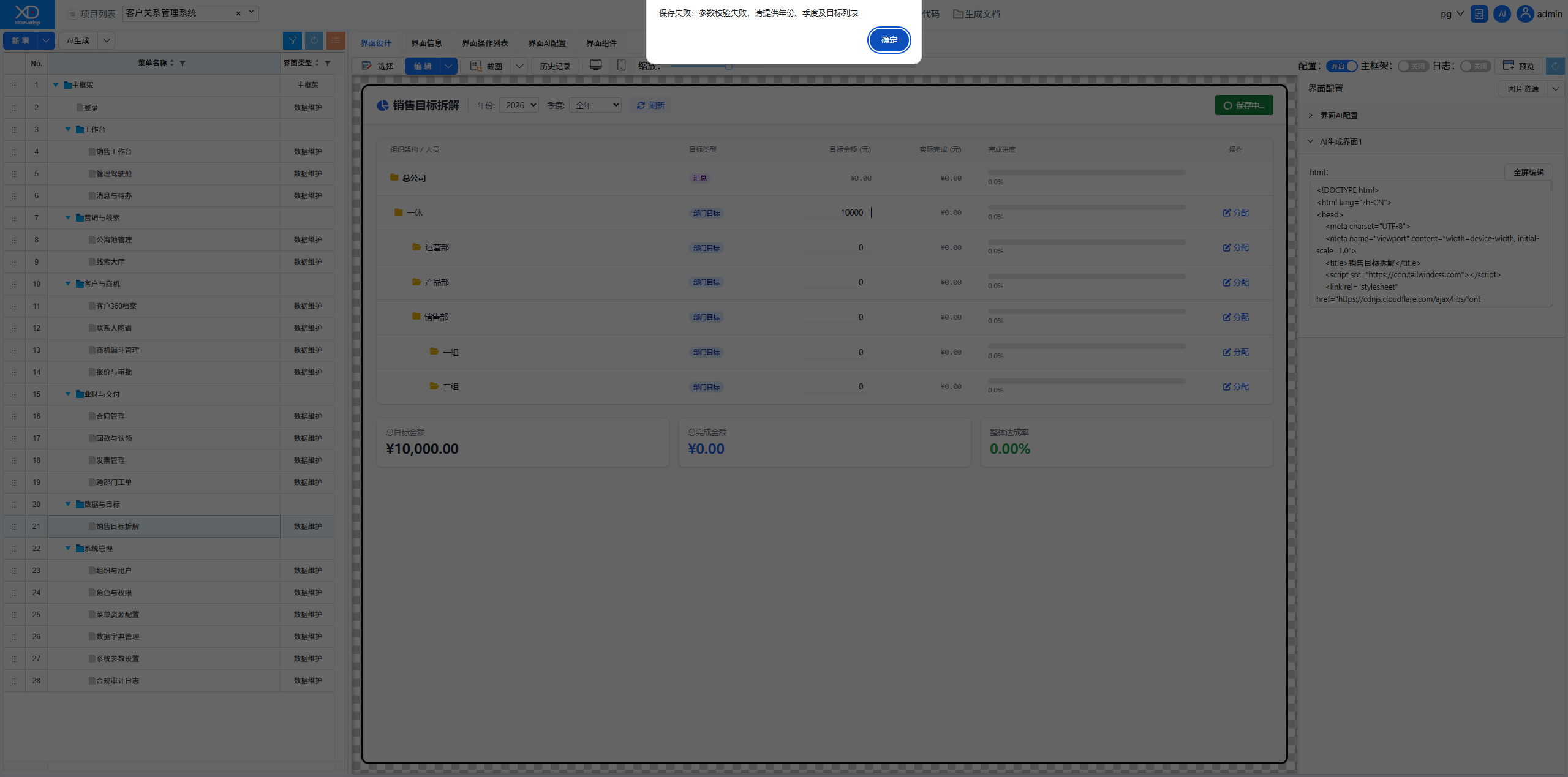
Figure: Sending fix instructions using XD Dev Assistant
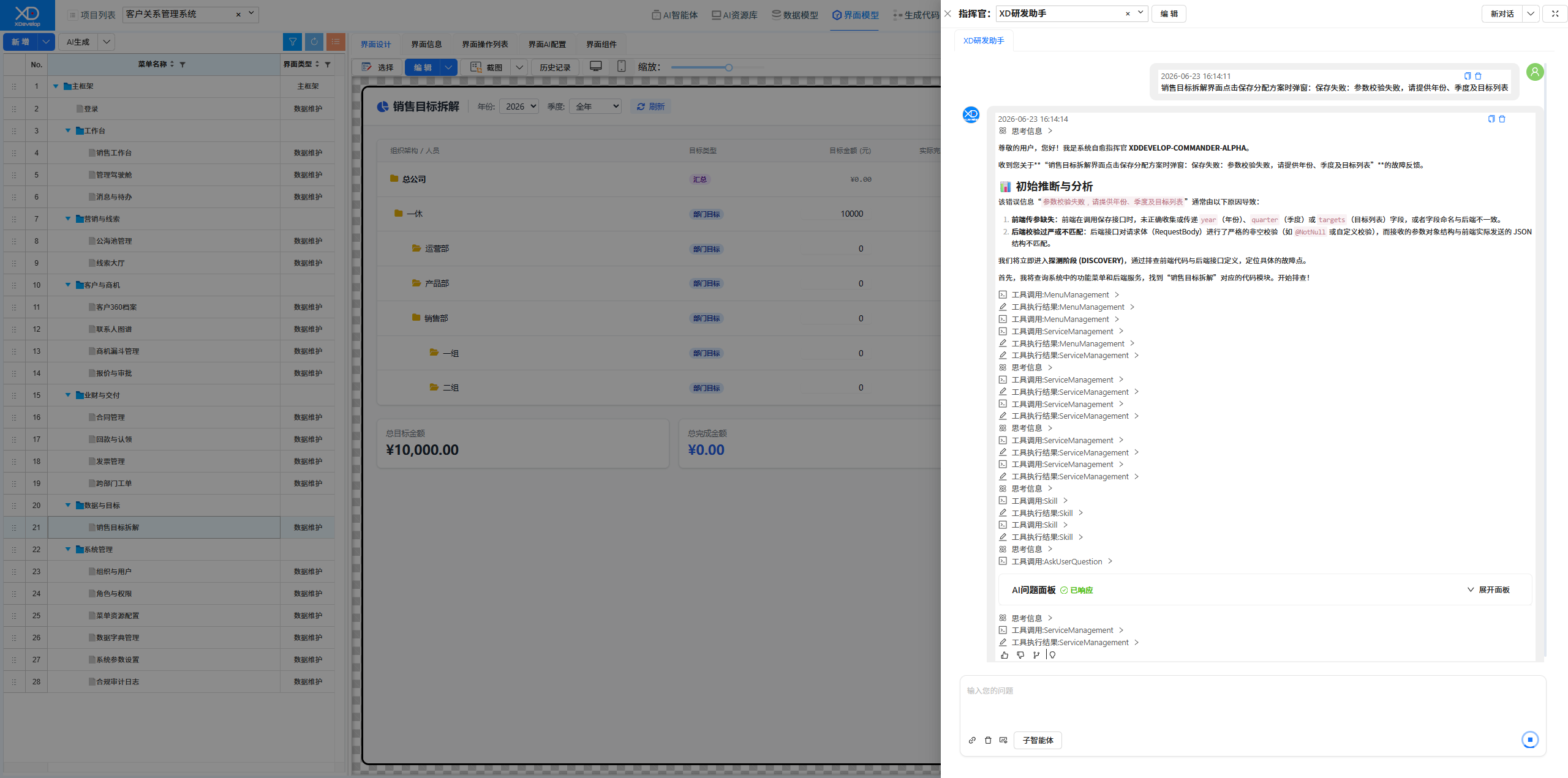
Figure: Fix solution confirmation
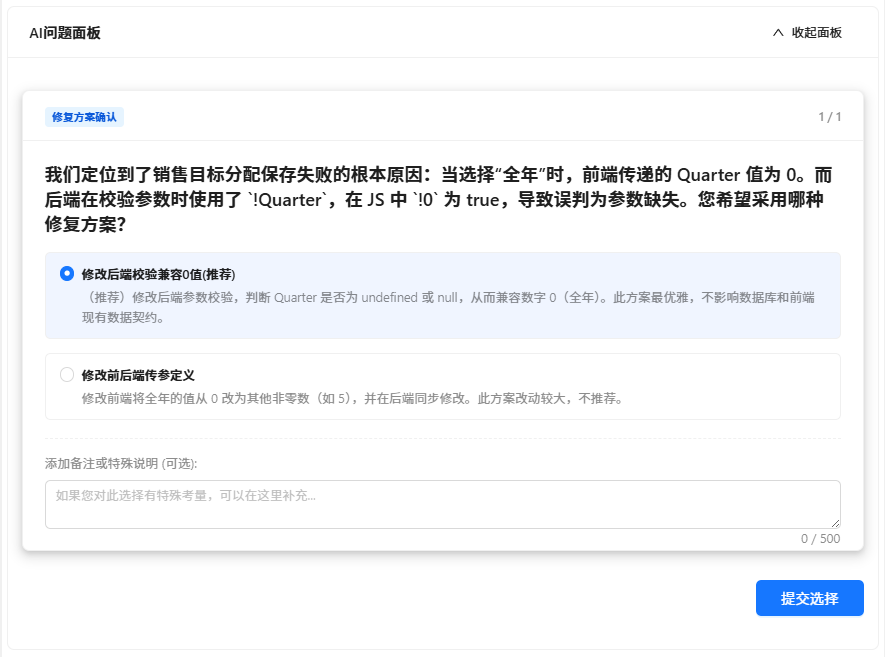
Figure: Bug Fix Report
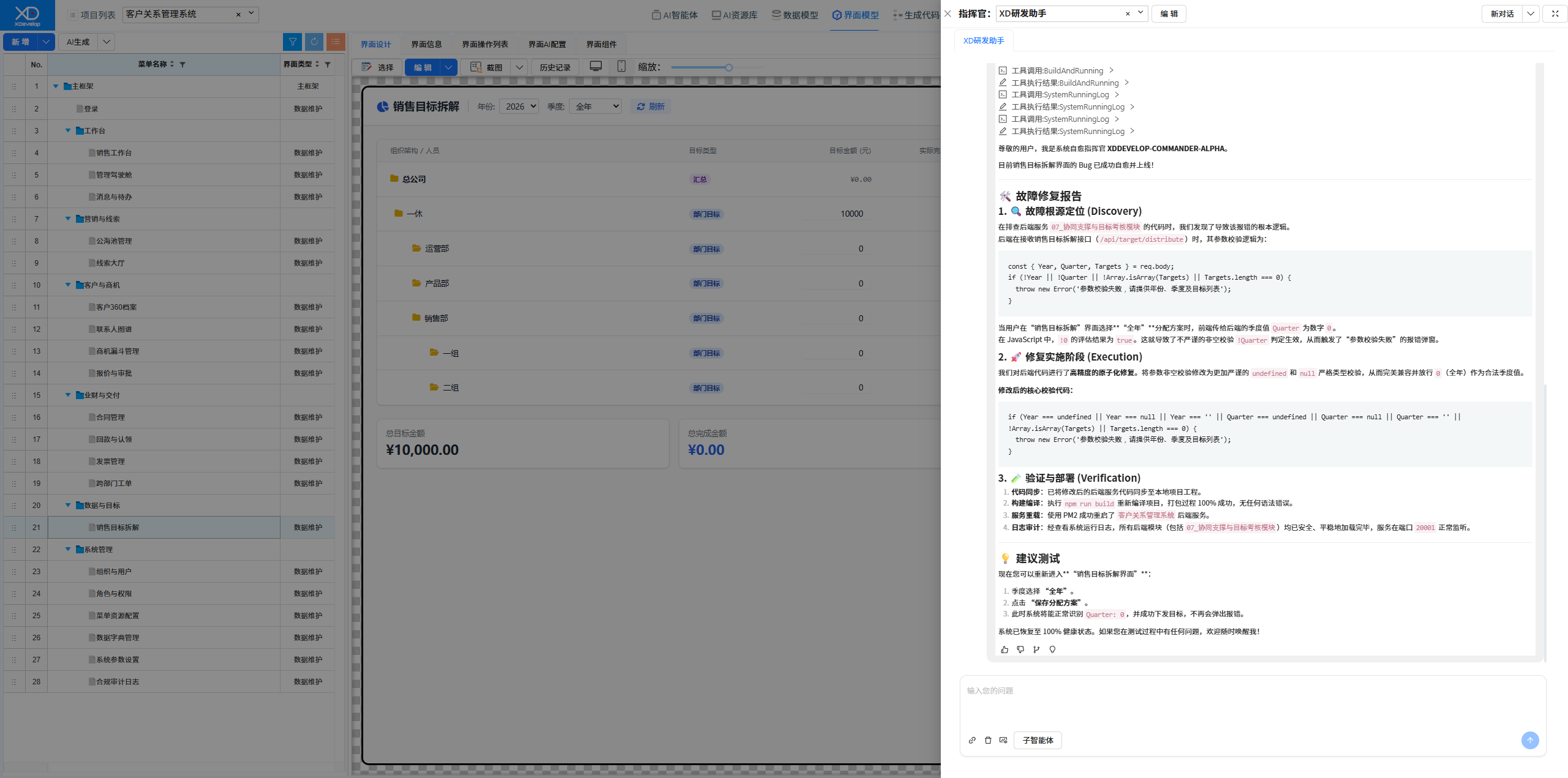
Figure: New Sales Target Breakdown Interface, saving successful
Quotation Approval Feature Enhancement
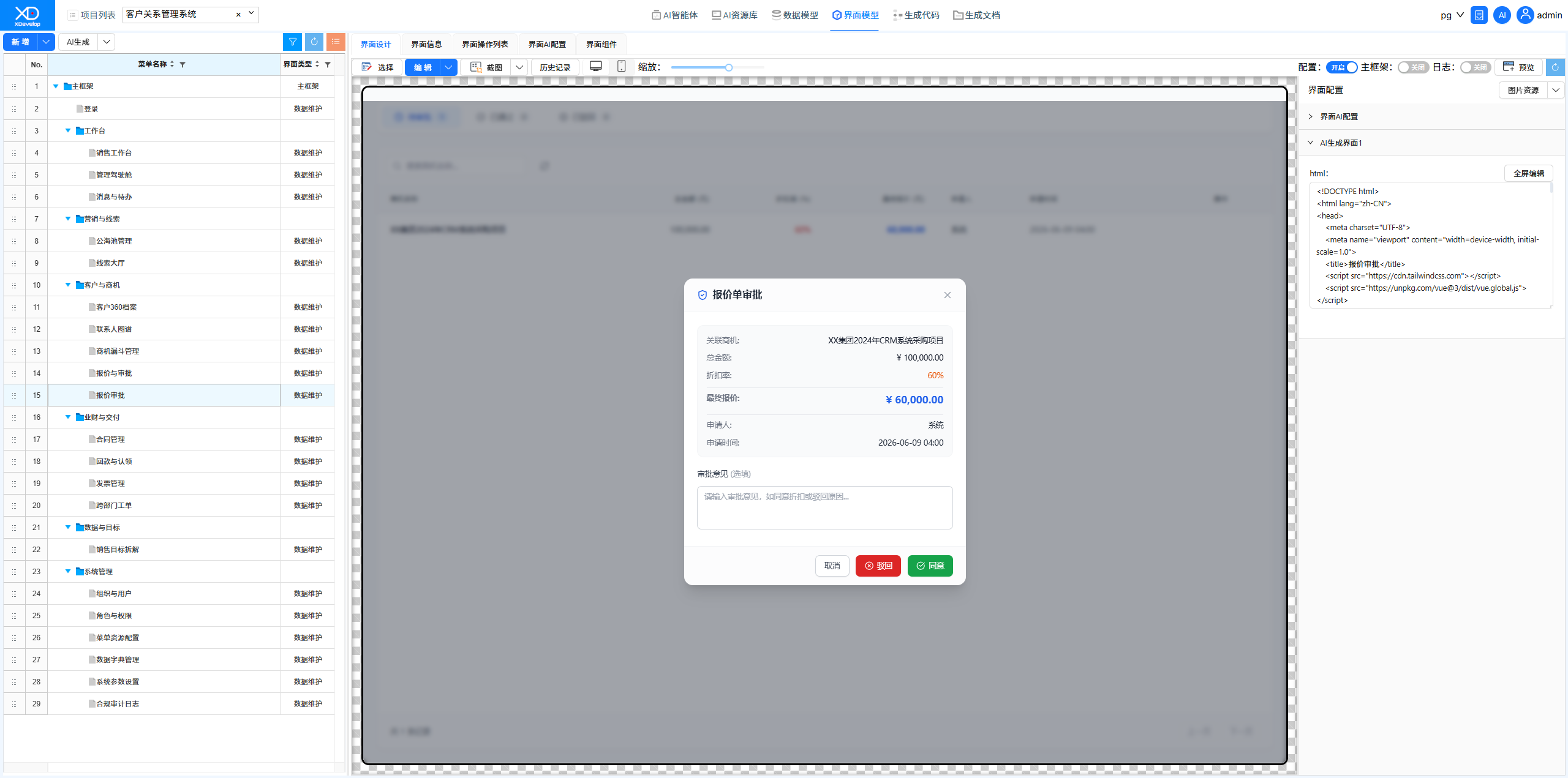
Added a quotation approval workflow on top of the existing CRM, including quotation creation, submission for approval, and manager approval — all developed through natural language conversations.
Figure: Original system function menu tree, core menus
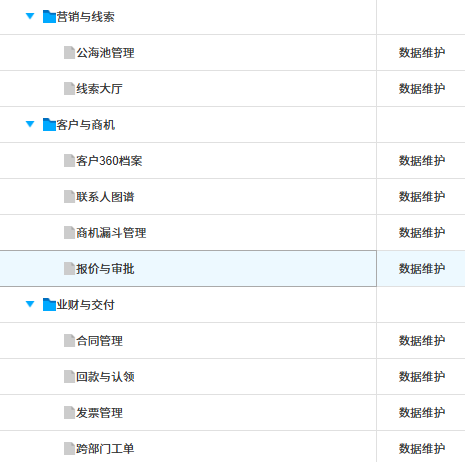
Figure: Sending requirements using XD Dev Assistant
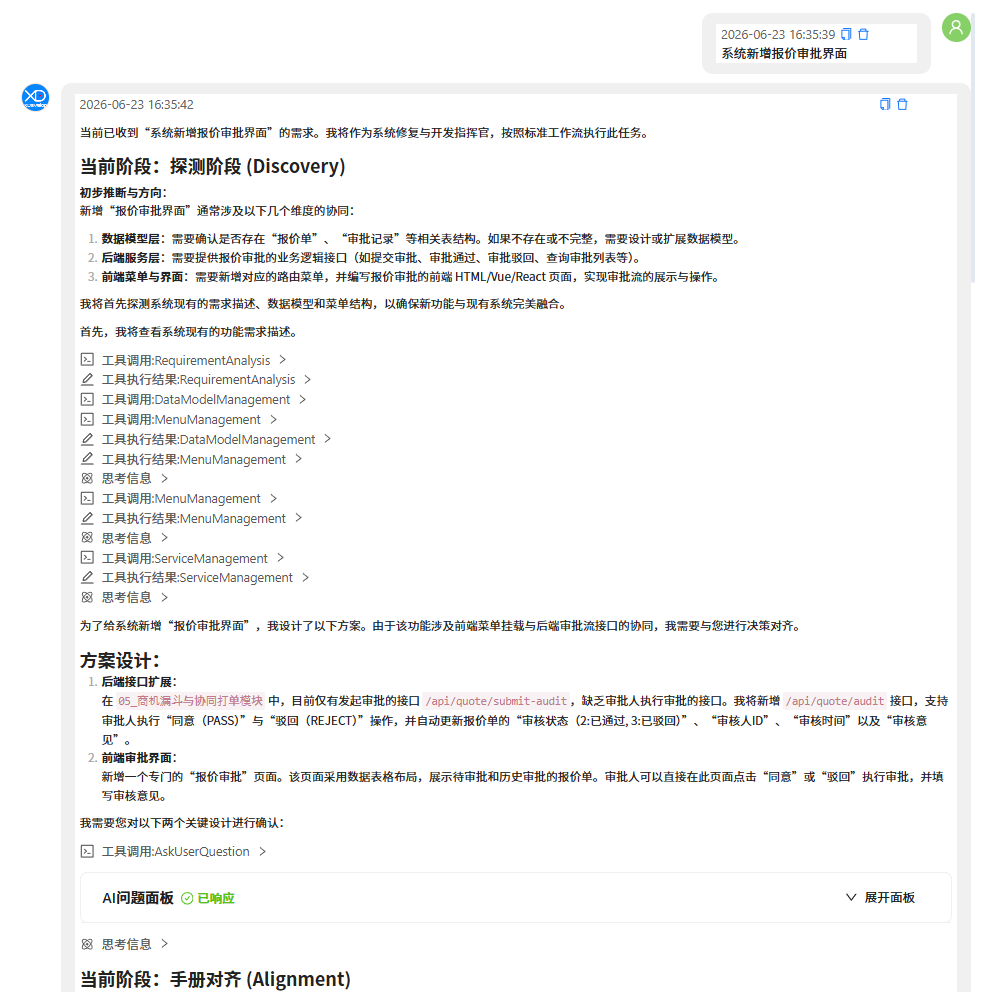
Figure: Solution selection
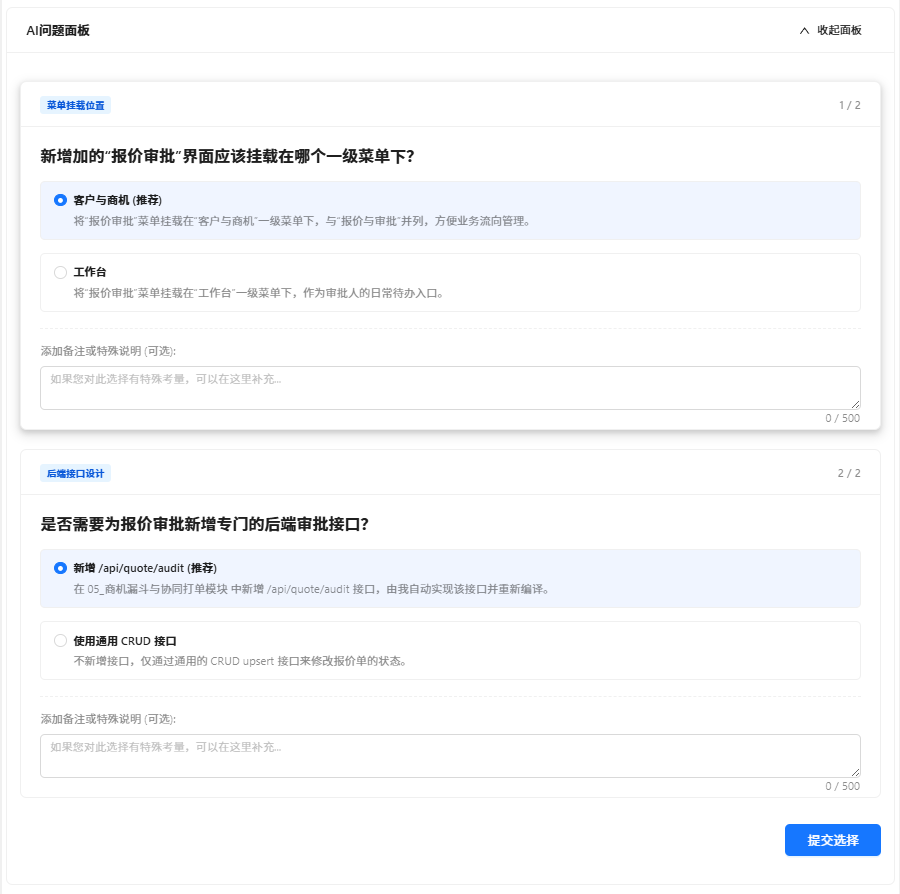
Figure: Fix & Development Task Completion Report
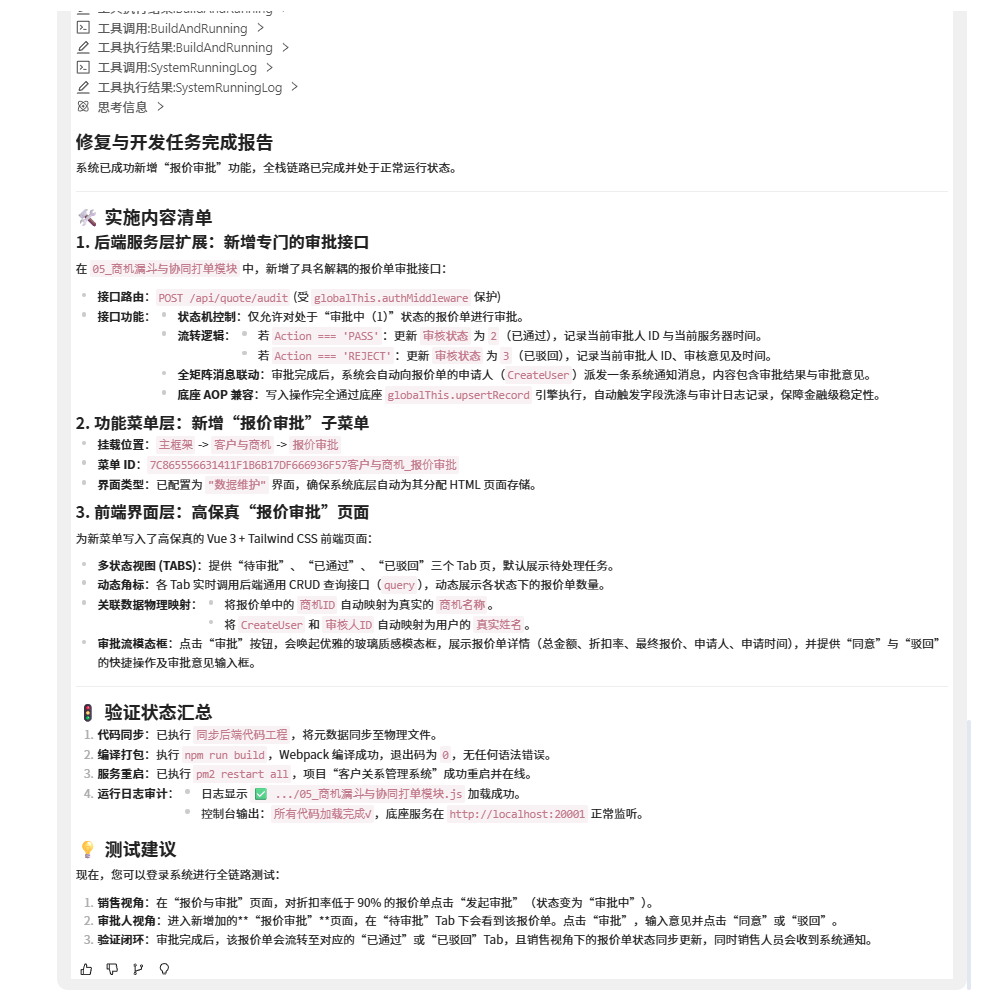
Figure: New system function menu tree, core menus
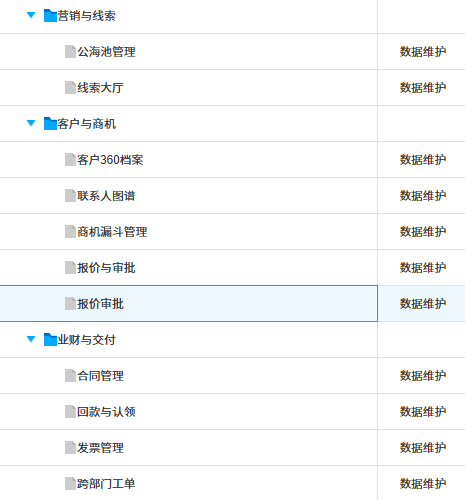
Figure: Quotation & Approval Interface for creating new quotations and initiating approvals
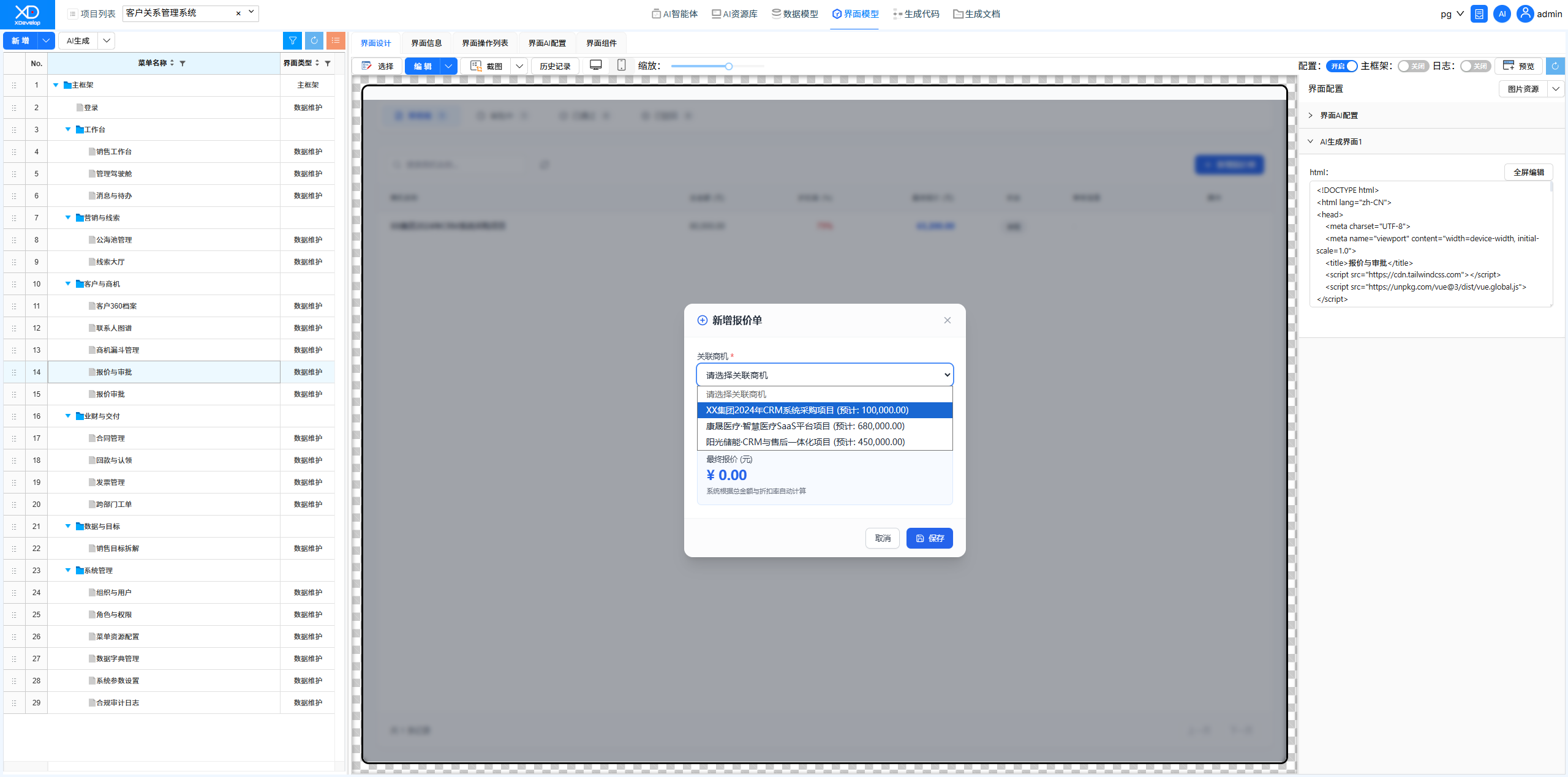
Figure: Quotation Approval Interface for manager-level quotation approval
Dashboard Page Style Adjustment
Adjusted the visual style of the management dashboard using XD Dev Assistant. AI provided multiple design options for selection, and automatically completed the style modifications upon selection.
Figure: Original Management Dashboard Interface
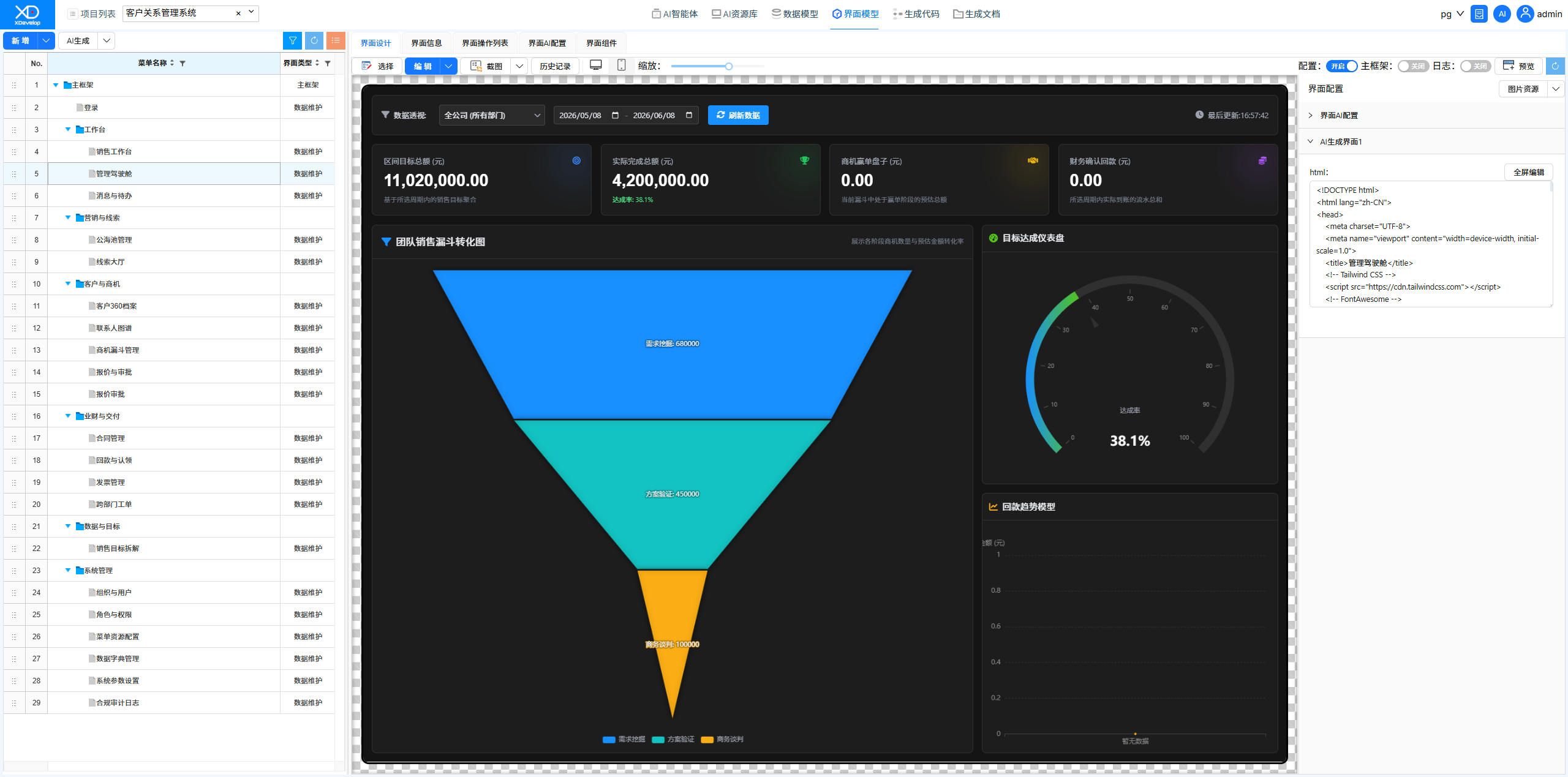
Figure: Sending requirement description using XD Dev Assistant
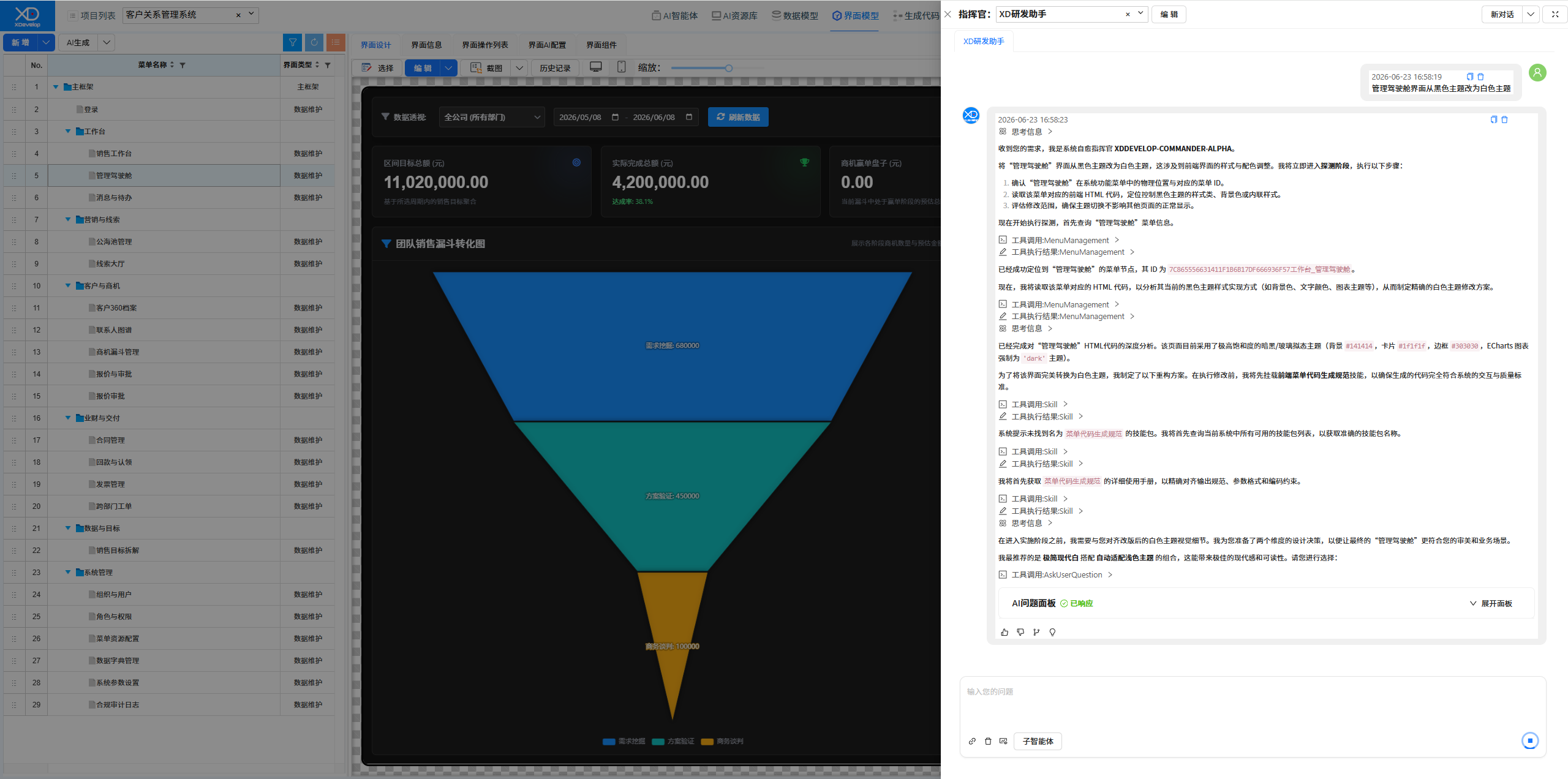
Figure: Selecting a design solution
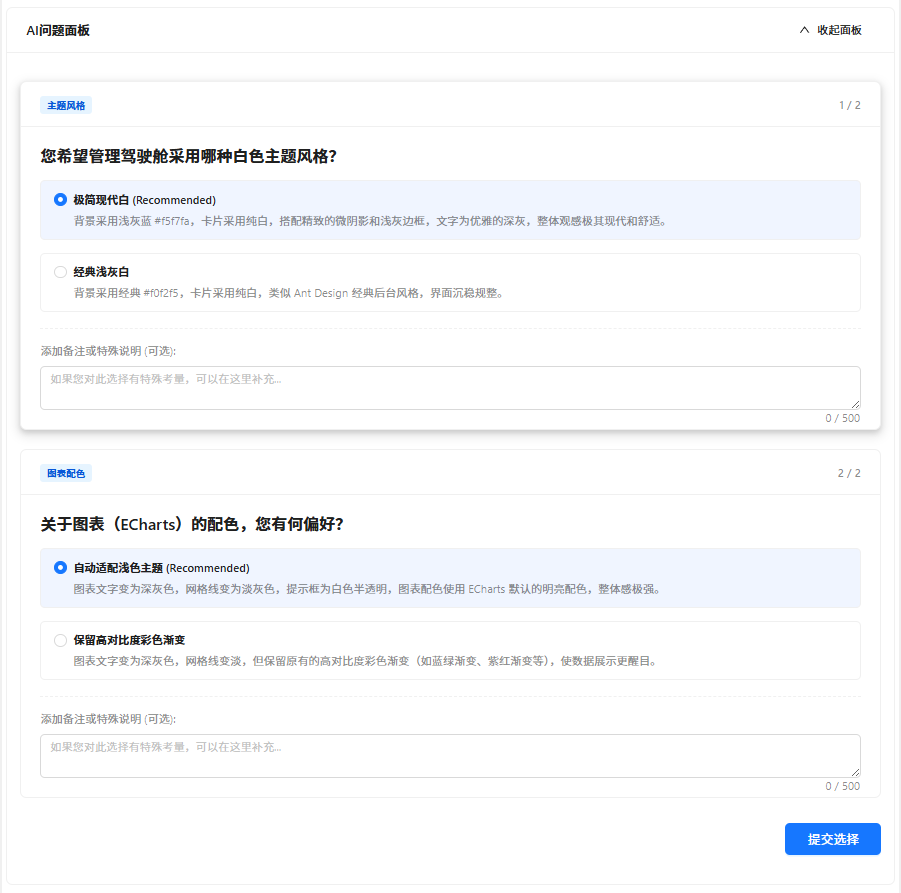
Figure: New Management Dashboard Interface