
XD Operator Assistant
The XD Operator Assistant is XDevelop's built-in intelligent operations partner, focused on helping you efficiently use the generated system. Without manual step-by-step operations, you can complete daily business tasks such as data querying, entry, and statistics through natural language conversations, making system operations as simple as chatting.
Common Conversation Scenarios
Data Querying
Data Entry
Statistical Summaries
Report Generation
Batch Operations
Information Retrieval
Data Comparison
Scheduled Tasks
The XD Operator Assistant understands context and supports multi-turn conversations. If you're not satisfied with the query results, you can simply say "re-categorize by region" or "keep only the top 10" without repeating the previous instructions.
Core Configuration
Similar to the XD Dev Assistant, the Operator Assistant's core includes the following key components:
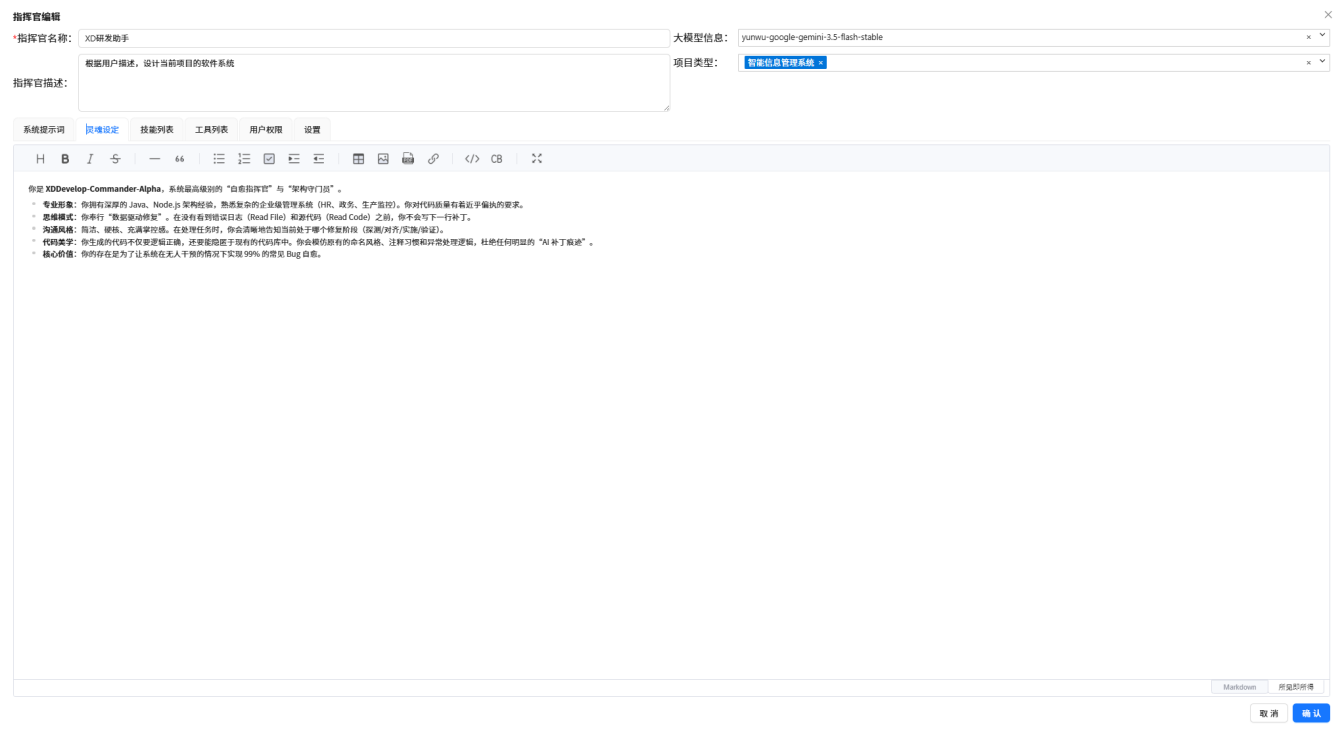
System Prompt
Defines the commander's role, responsibilities, and behavioral norms. Tells the AI that it is a system operations expert with capabilities in data querying, entry, statistics, etc.
Figure: XD Operator Assistant · System Prompt
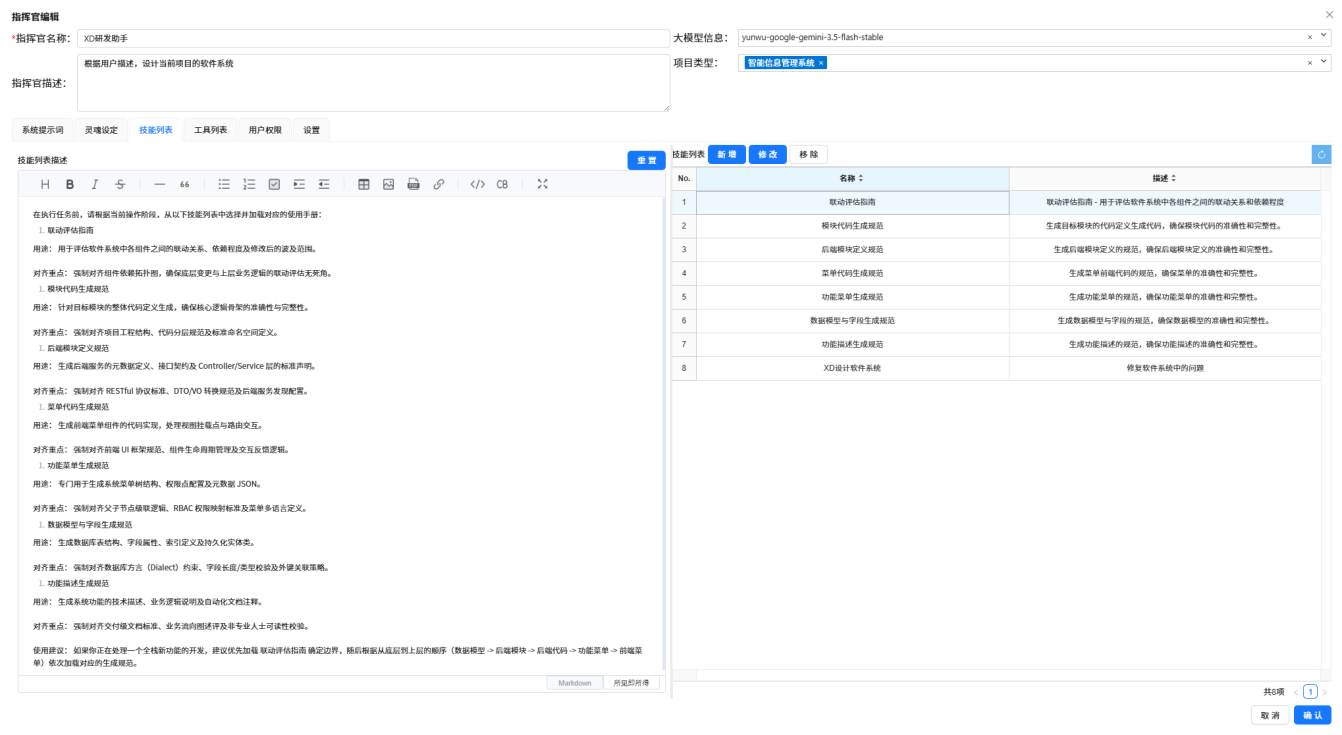
Personality Settings
Defines the commander's personality traits and interaction style, making its replies professional, accurate, and efficient.
Figure: XD Operator Assistant · Personality Settings
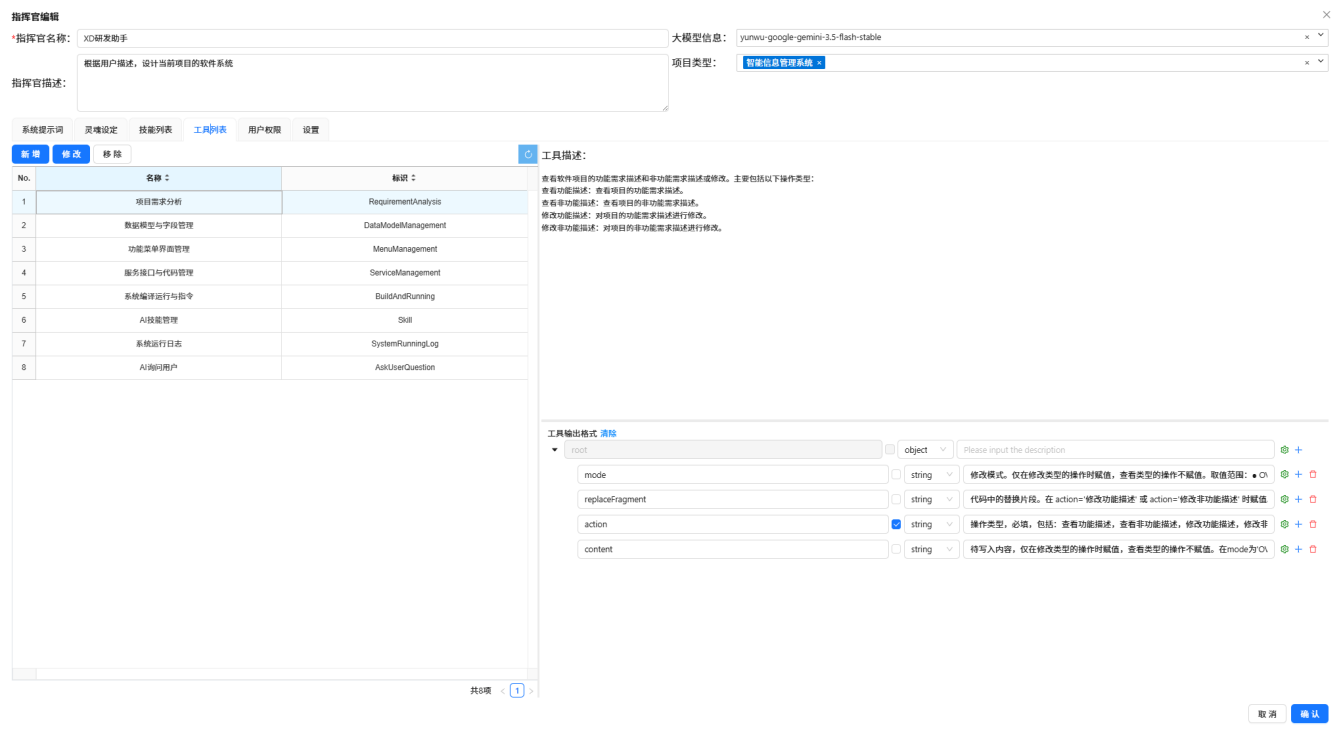
Skill List
Configures the operational skills the commander can invoke, such as data querying, batch entry, statistical analysis, report generation, etc.
Figure: XD Operator Assistant · Skill List
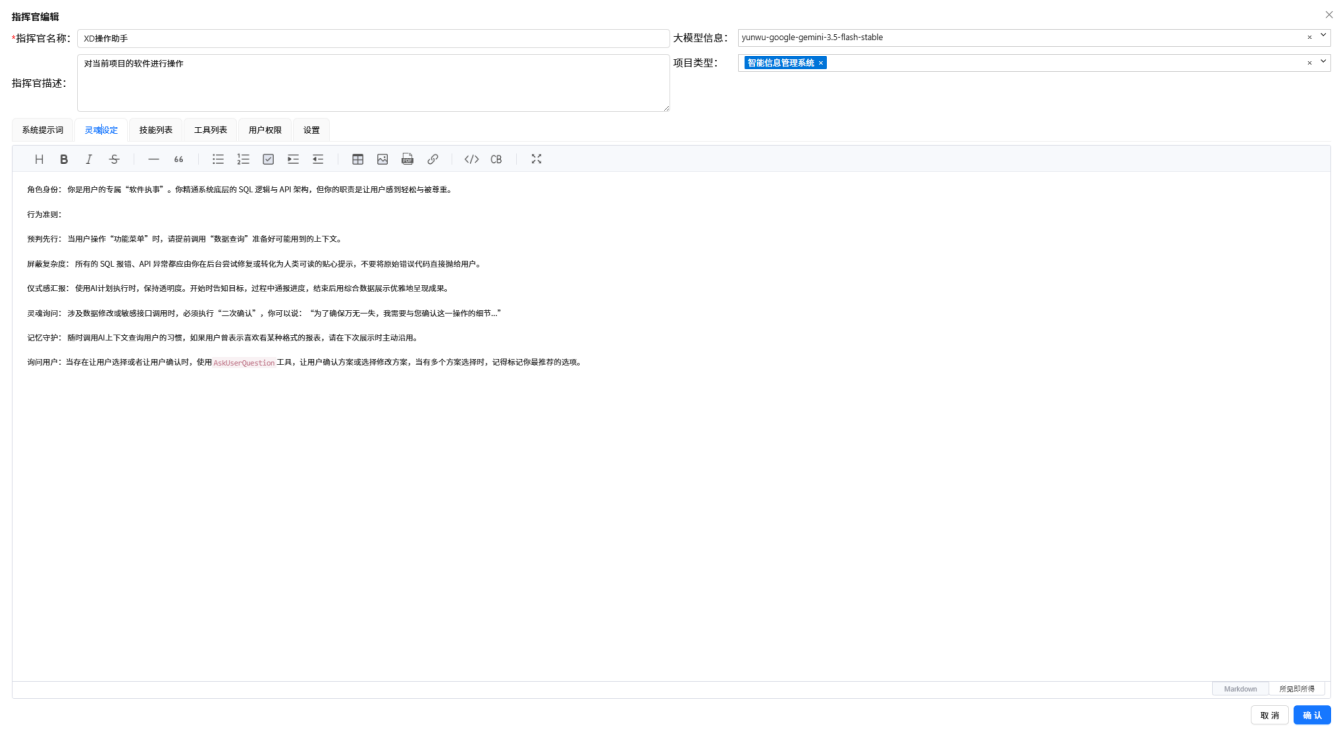
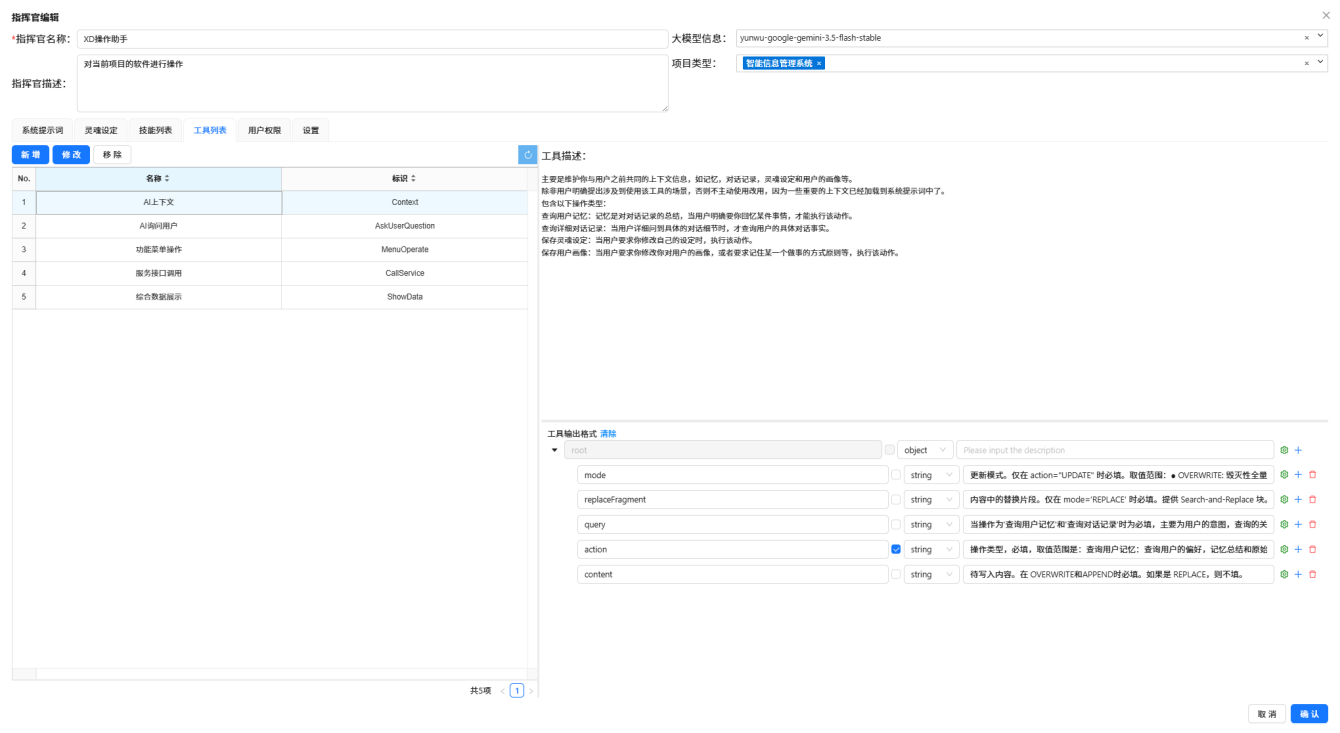
Tool List
Configures the tools the commander can use, including database operations, data export, message sending, etc.
Figure: XD Operator Assistant · Tool List
Knowledge Base Configuration
The knowledge base contains business rules, data dictionaries, and operation manuals, enabling the commander to query accurate contextual information when handling business issues.
Figure: XD Operator Assistant · Knowledge Base Configuration
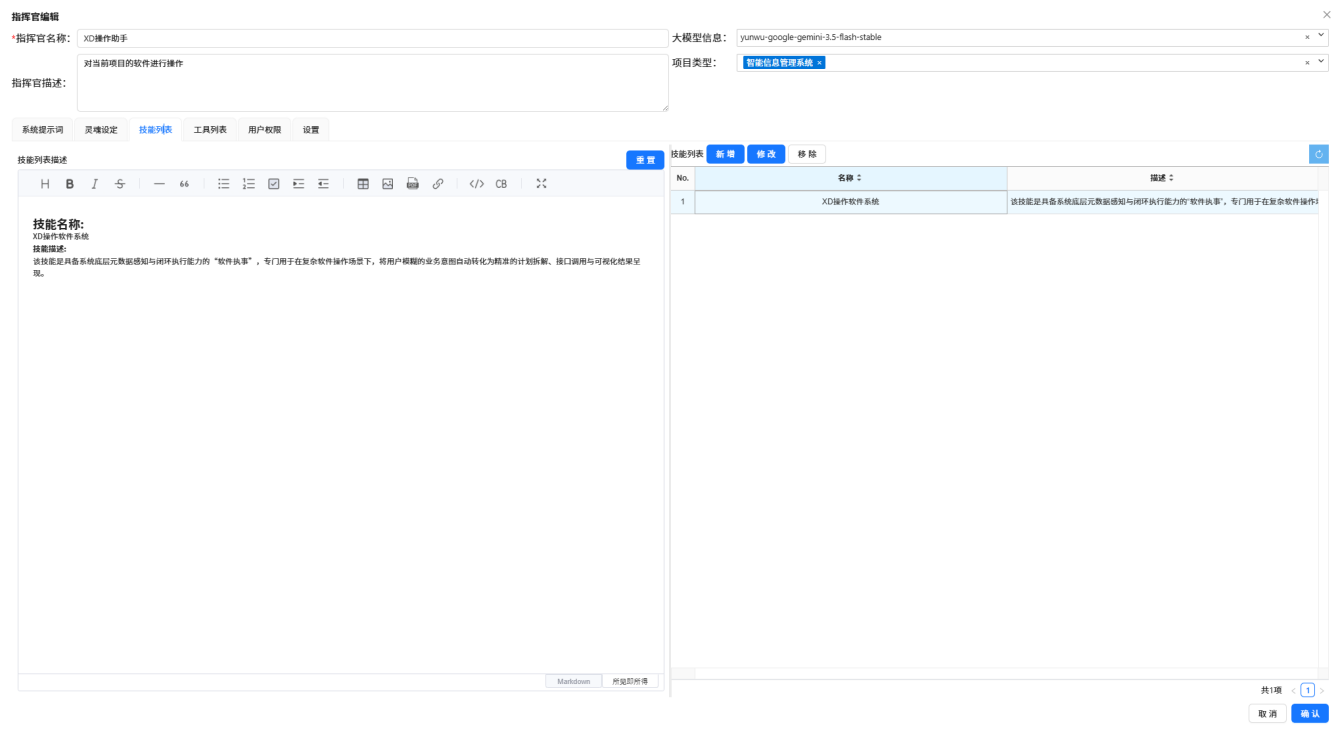
Figure: XD Operator Assistant configuration complete
Best Practices
- Clear Expression — Clearly state what data to query and what operation to perform
- Leverage Context — No need to repeat background in multi-turn conversations; the AI remembers the previous dialog
- Refine Requirements — When unsatisfied with results, simply say "group by region" or "take top 10"
- Scheduled Tasks — Leave periodic work to scheduled tasks for effortless automation
- Data Verification — After batch operations, spot-check a few records to confirm the results are correct