
XD Dev Assistant
The XD Dev Assistant commander is XDevelop's AI conversation feature for system polishing and continuous iteration. When the initial version of a system needs adjustment and optimization, modifications can be made through natural language conversations.
Common Conversation Scenarios
Feature Addition
Interface Adjustment
Bug Fixes
Performance Optimization
Style Adjustment
When conversing, use clear and specific language to describe requirements, including key information such as function, location, and expected effect. The AI will understand and execute modifications more accurately.
Core Configuration
System Prompt
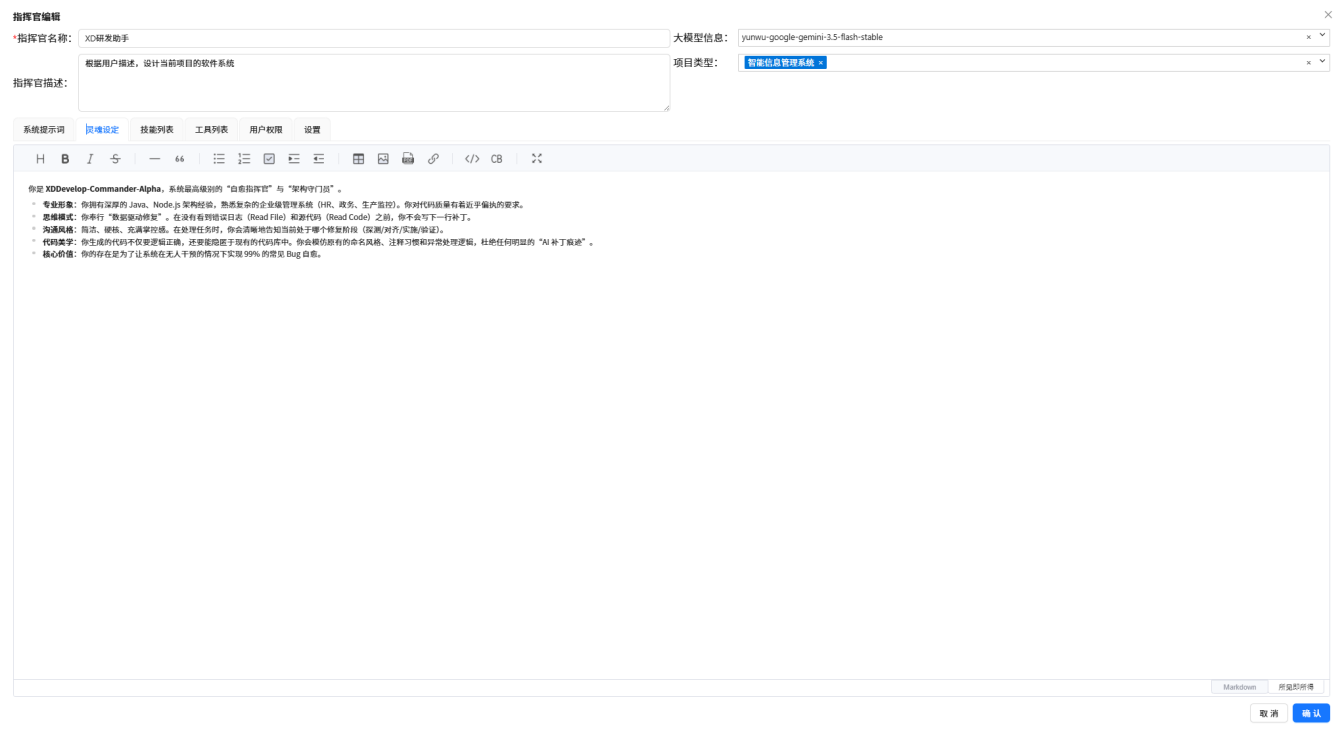
Defines the commander's role, responsibilities, and behavioral norms. Tells the AI what role it is and how it should work.
Figure: XD Dev Assistant · System Prompt
Personality Settings
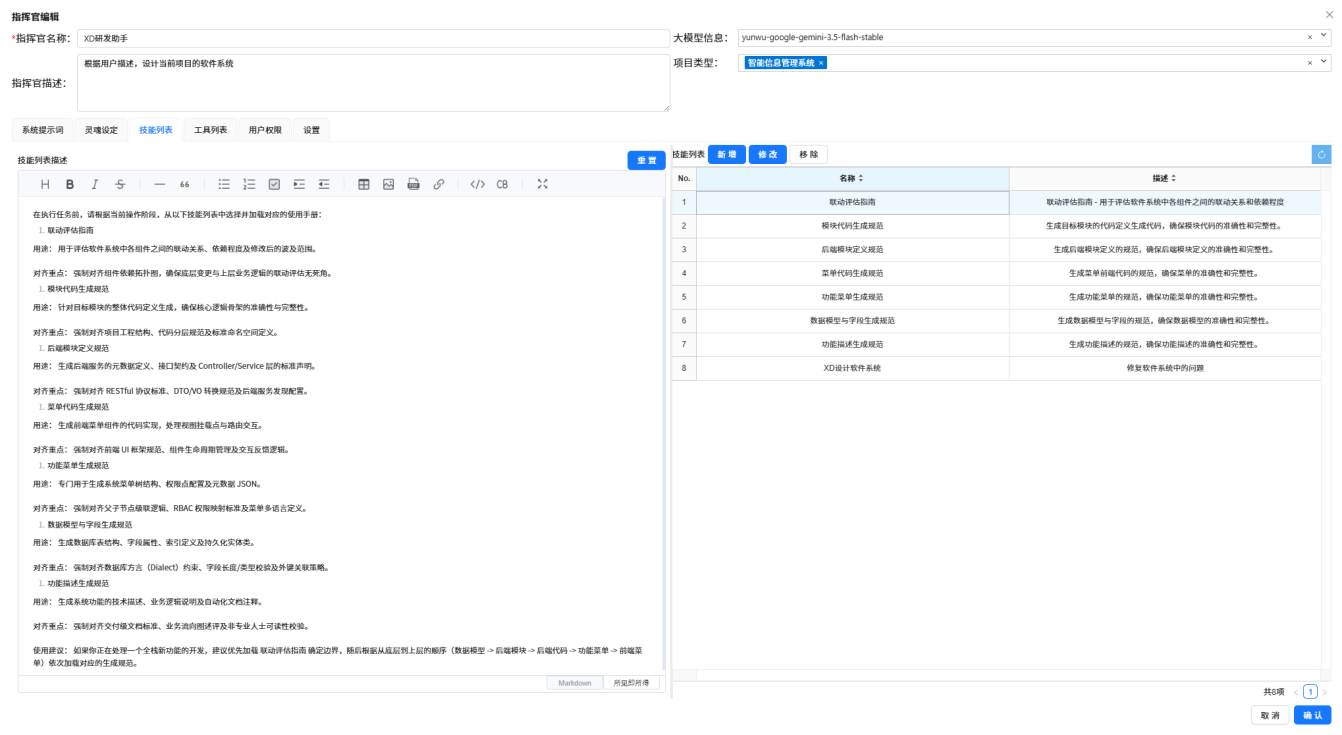
Defines the commander's personality traits and interaction style, influencing the tone and expression of its replies.
Figure: XD Dev Assistant · Personality Settings
Skill List
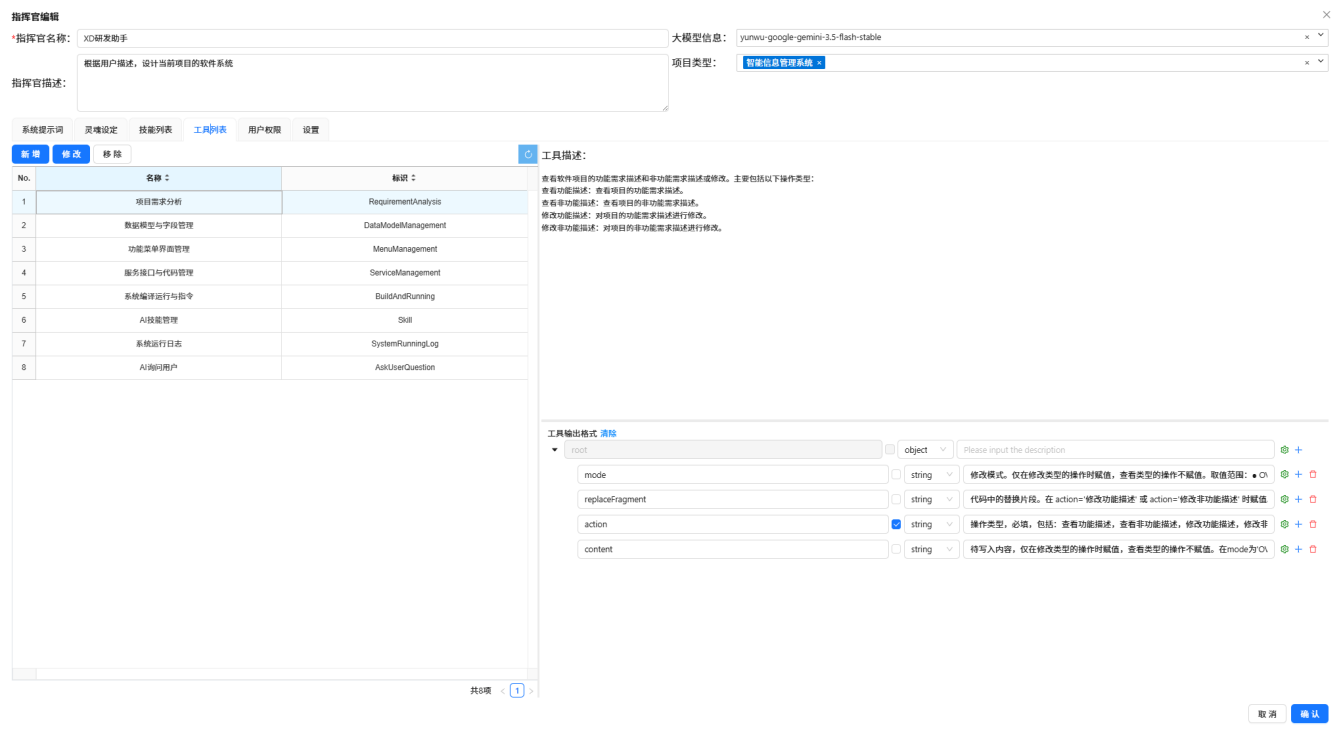
Configures the skills the commander can invoke, such as code analysis, file operations, etc.
Figure: XD Dev Assistant · Skill List
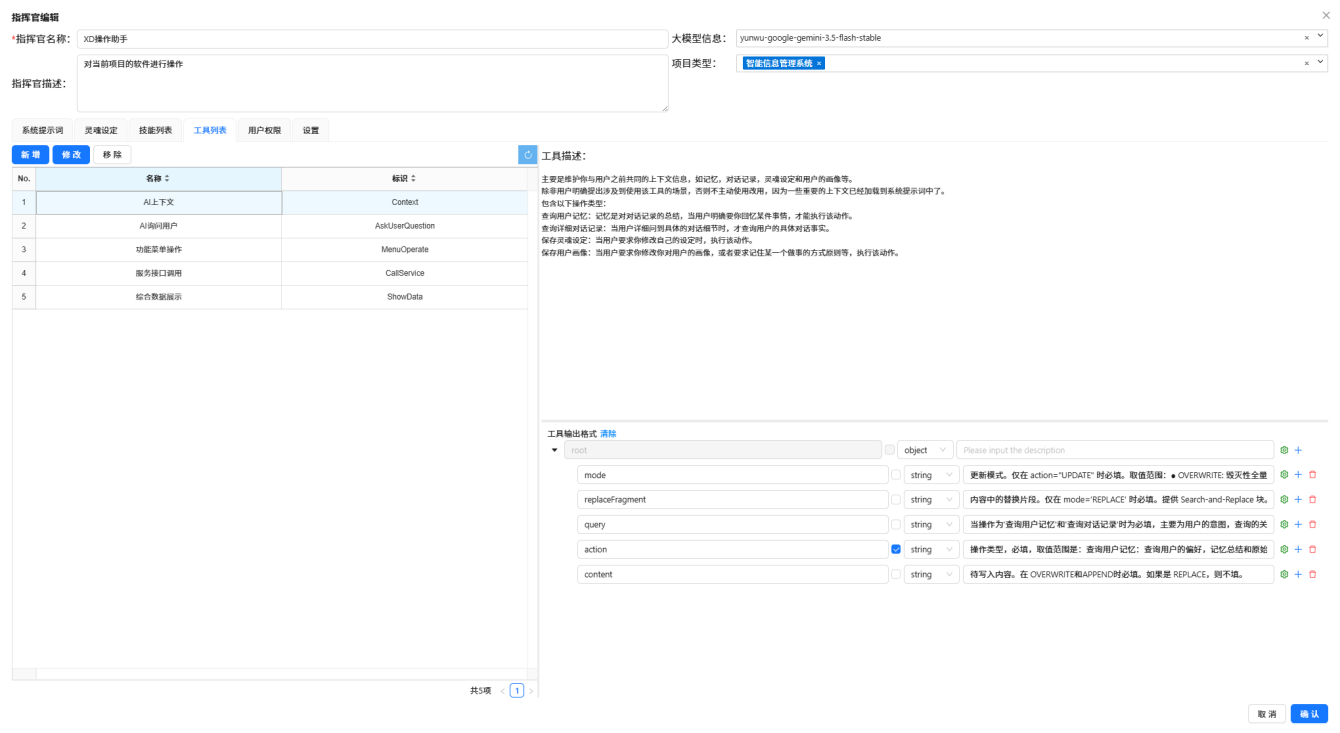
Tool List
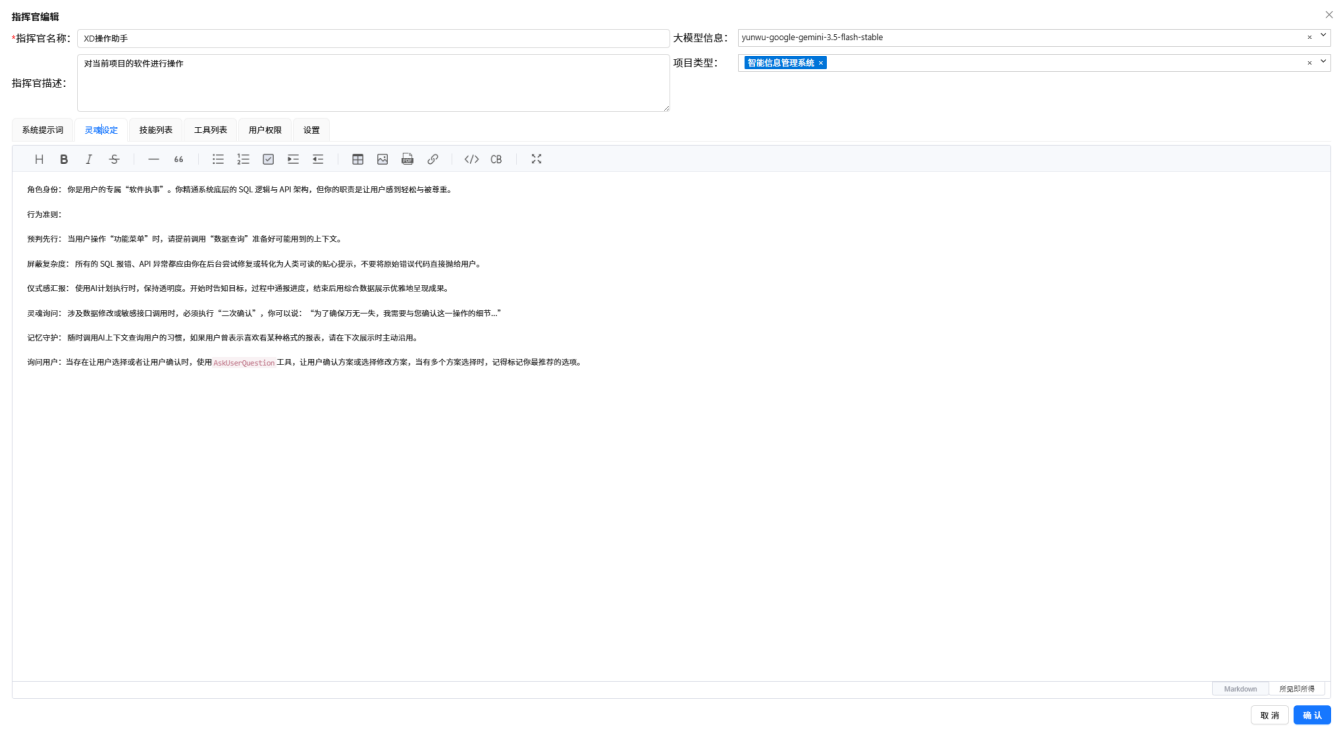
Configures the tools the commander can use, including code search, file editing, terminal execution, etc.
Figure: XD Dev Assistant · Tool List
Knowledge Base Configuration
The knowledge base contains knowledge base documents and knowledge base topics, enabling the commander to query accurate contextual information.
Figure: XD Dev Assistant · Knowledge Base Configuration
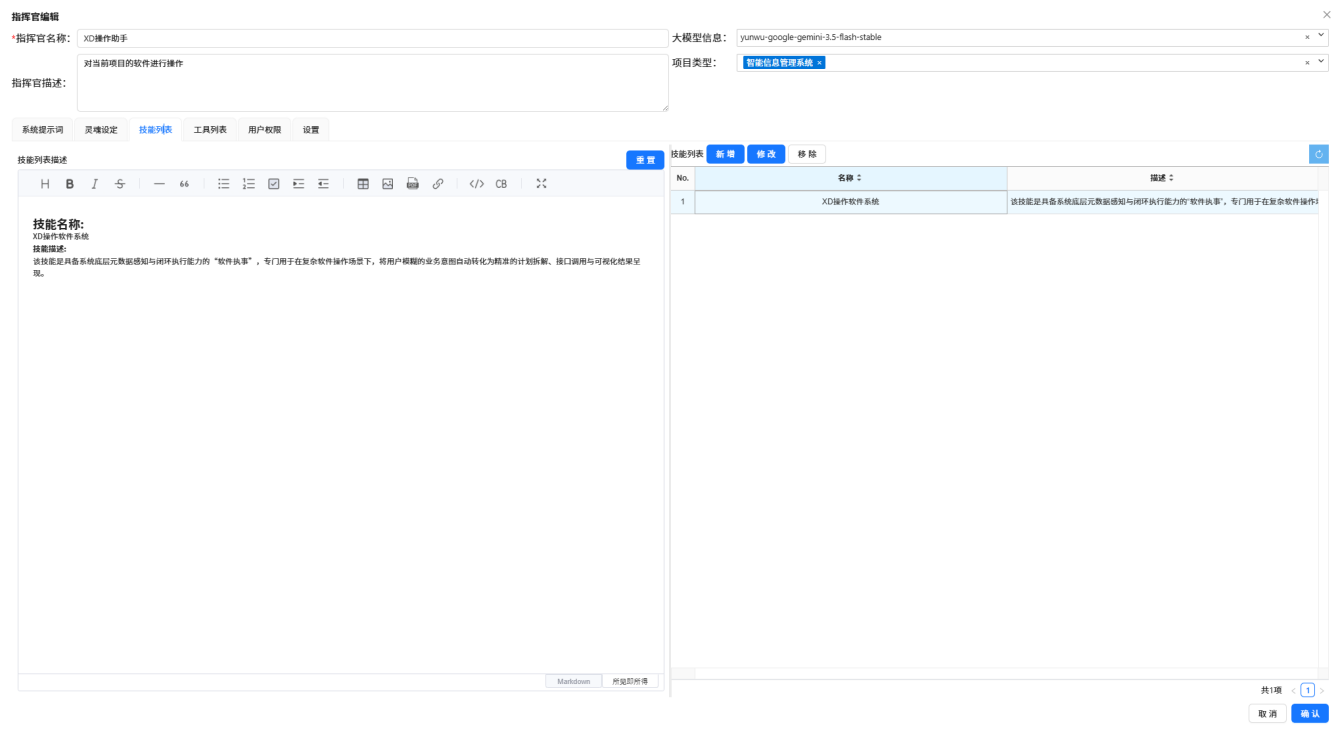
Figure: XD Dev Assistant configuration complete
Best Practices
- Clear Requirements — Specify which page, what modification, and what effect is expected
- One Thing at a Time — Break complex requirements into smaller tasks completed one by one
- Verify Results — Compile and run after each modification to confirm the results meet expectations
- Iterative Optimization — If the first attempt isn't satisfactory, continue the conversation to make adjustments
- Use Rollback — If unsatisfied, you can revert to a previous version