
Project Creation & Management Issues
Project Name Already Exists When Creating a New Project
Problem Description: When creating a new project, the system prompts that the project name already exists and cannot be created.
Solution: Please use a different project name.
Suggestion: Include a date or version number in the name for easier distinction, for example:
Order Management System_V2Customer Management System_202606HR System_South China Edition
"Intelligent Information Management System" Project Type Does Not Exist
Problem Description: When selecting a project type, the "Intelligent Information Management System" type cannot be found.
Solution:
- Check Software Version — Check if the software has been updated to the latest version.
- Check Base Resource Pack — Check if "Plugin Application Management" → "Base Resource Pack" has been updated to the latest version.
Figure: Checking base resource pack update
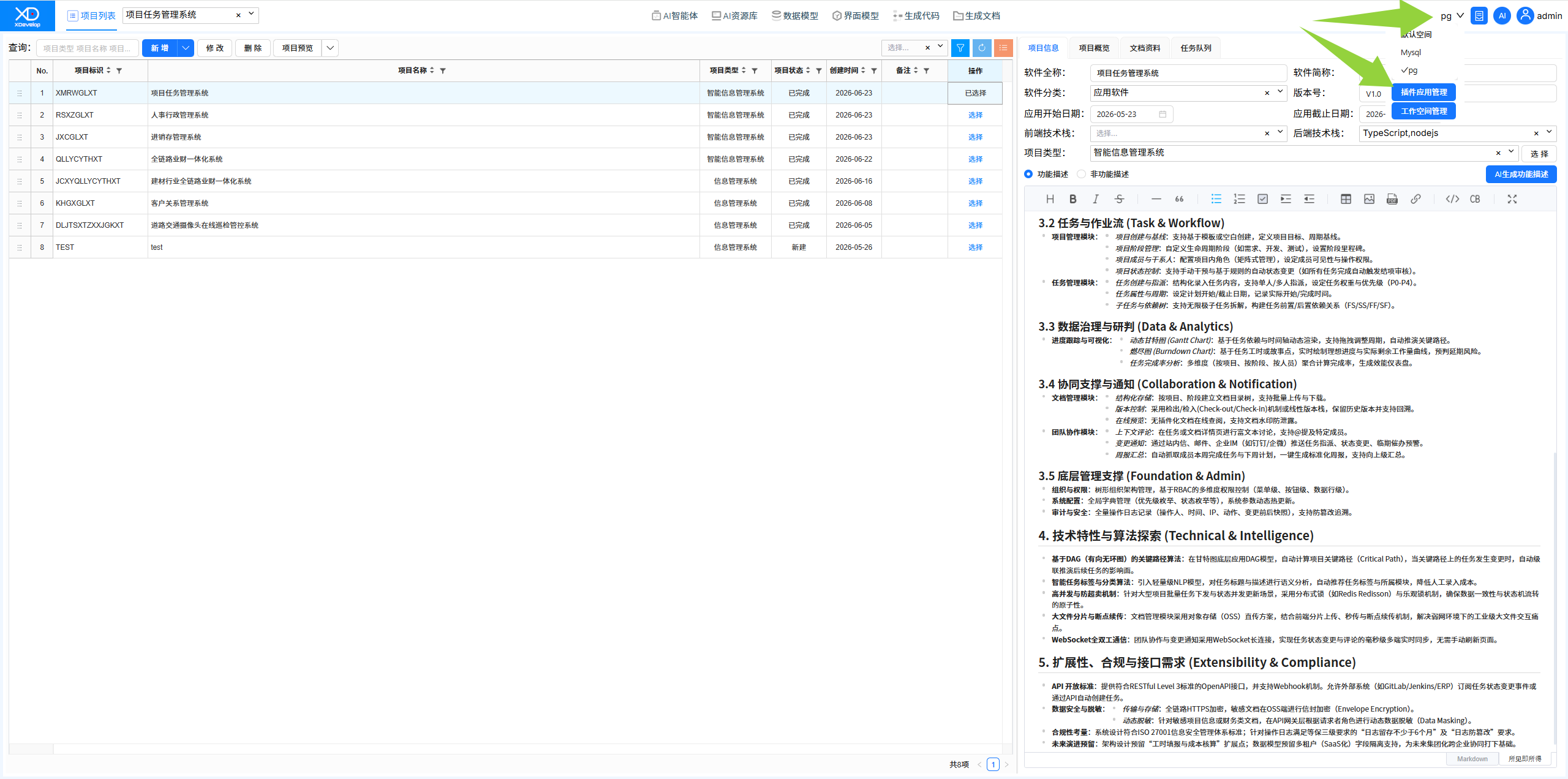
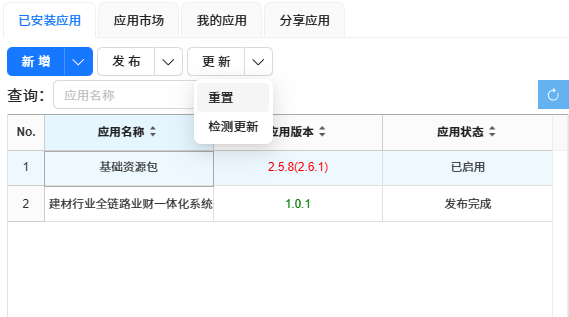
- Reset Base Resource Pack — If still incorrect, try resetting the "Base Resource Pack".
Figure: Resetting base resource pack
Note
Resetting the base resource pack will restore it to factory settings. Please confirm before proceeding.
Other Common Issues
Unable to Recover a Deleted Project
Project deletion is a soft delete and can be recovered from the recycle bin. If it has been permanently deleted, please contact technical support.
Unable to Open a Project Normally
- Check if the project files are intact
- Try opening in another workspace
- If the issue persists, please submit error logs to technical support