
Build & Run Issues
Errors During Compilation or Runtime
Common compilation and runtime errors and their solutions:
After Clicking Run, Backend Service Is Abnormal — Unable to Log In or Query Data
Solution:
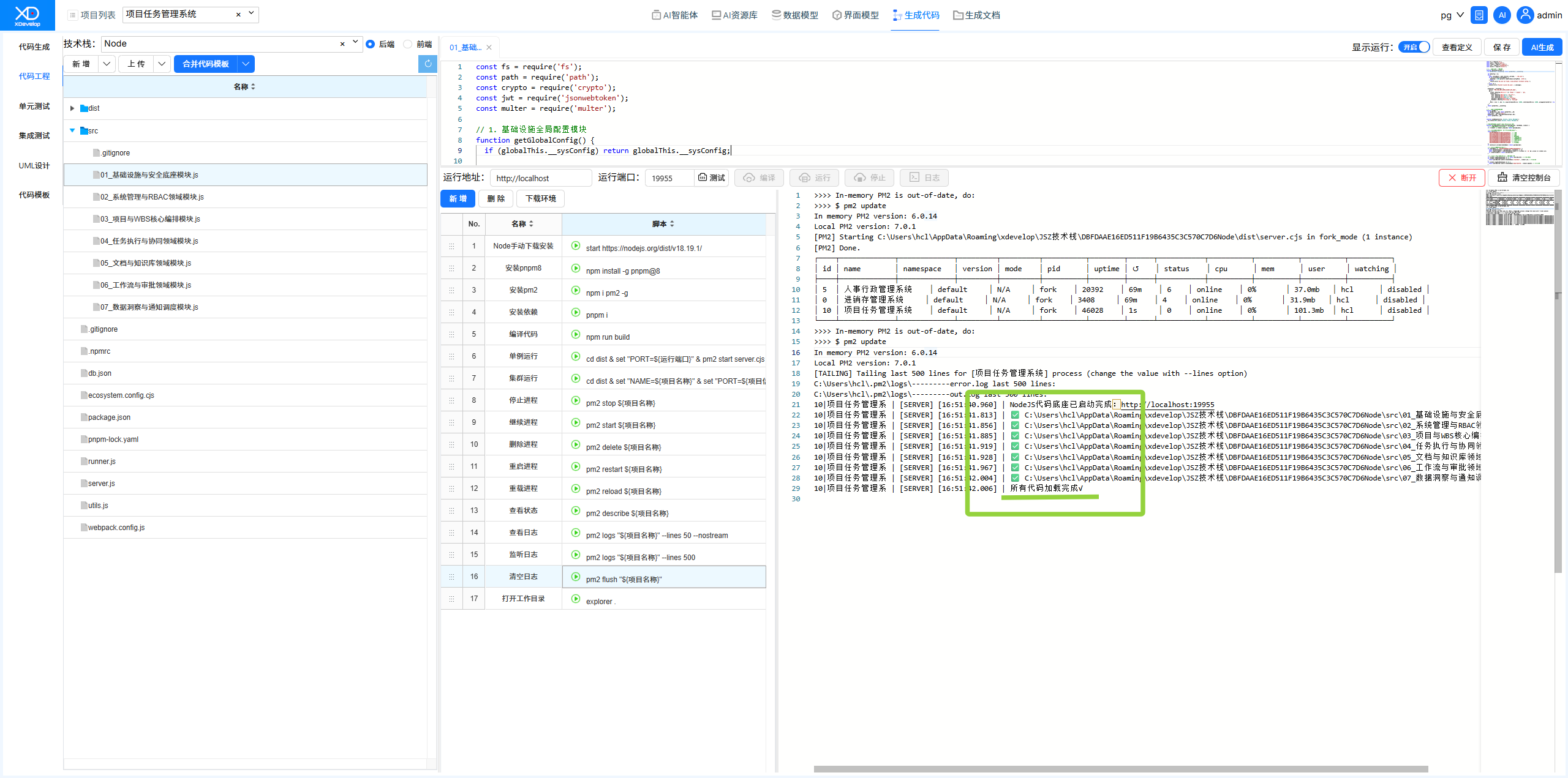
Step 1: Confirm That the Local Service Has Started Successfully
Check the console output to ensure all modules have loaded successfully ✅ and the "All code loaded √" message appears.
Figure: Confirming all modules loaded successfully
Note
If the run process gets stuck at the "Dependencies installed" message, try disconnecting log monitoring, then click the "Stop" button to stop the service, and click "Run" again.
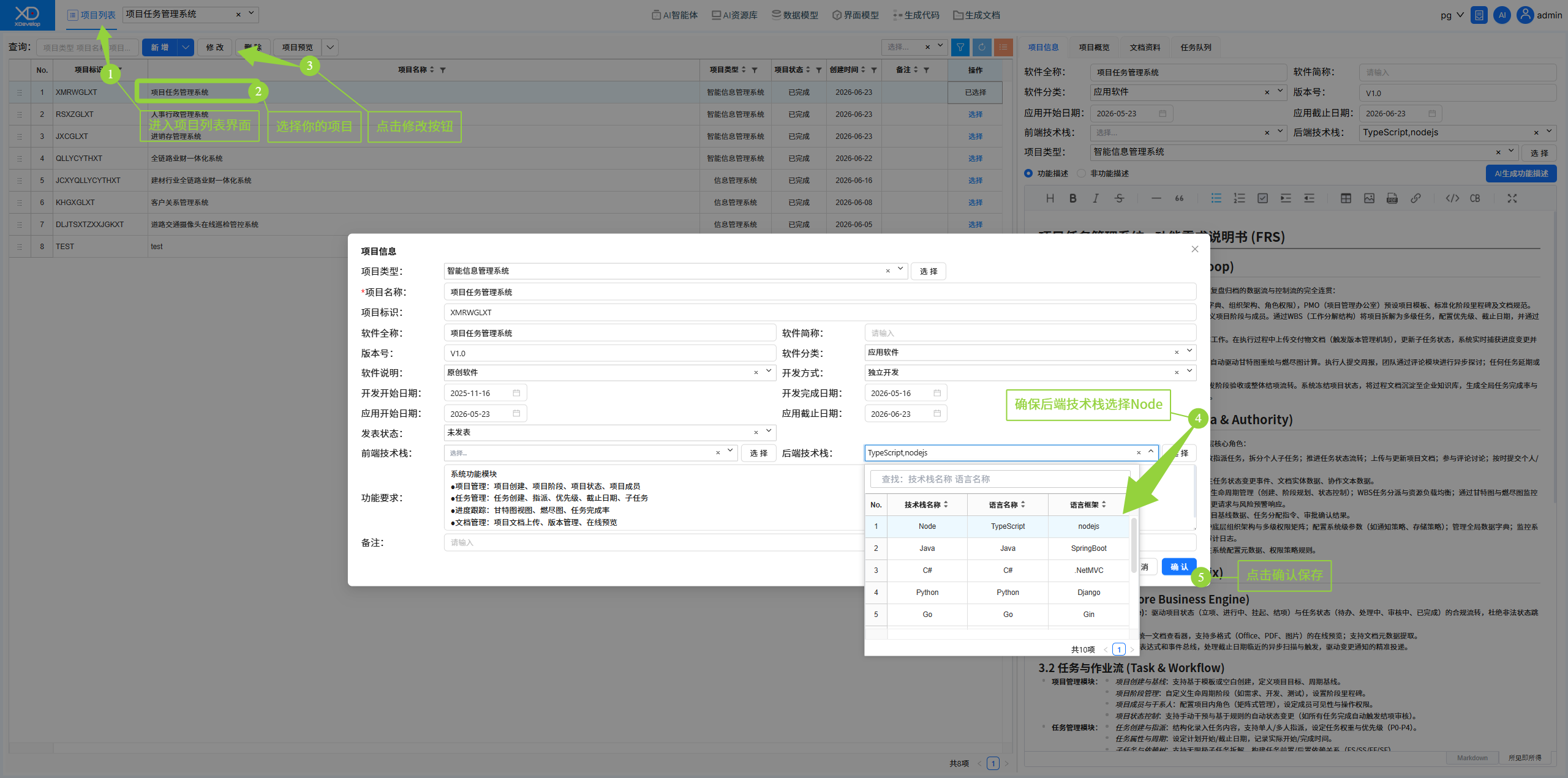
Step 2: Check Project Settings
Ensure the backend tech stack is set to NodeJs.
Figure: Checking that the backend tech stack is set to NodeJs
Step 3: Use the Commander to Troubleshoot
If the above steps still do not resolve the issue, use the AI conversation feature to have the Commander assist with troubleshooting.