
AI Conversation Troubleshooting
Errors Occurring During AI Conversations
Figure: Errors occurring during AI conversations
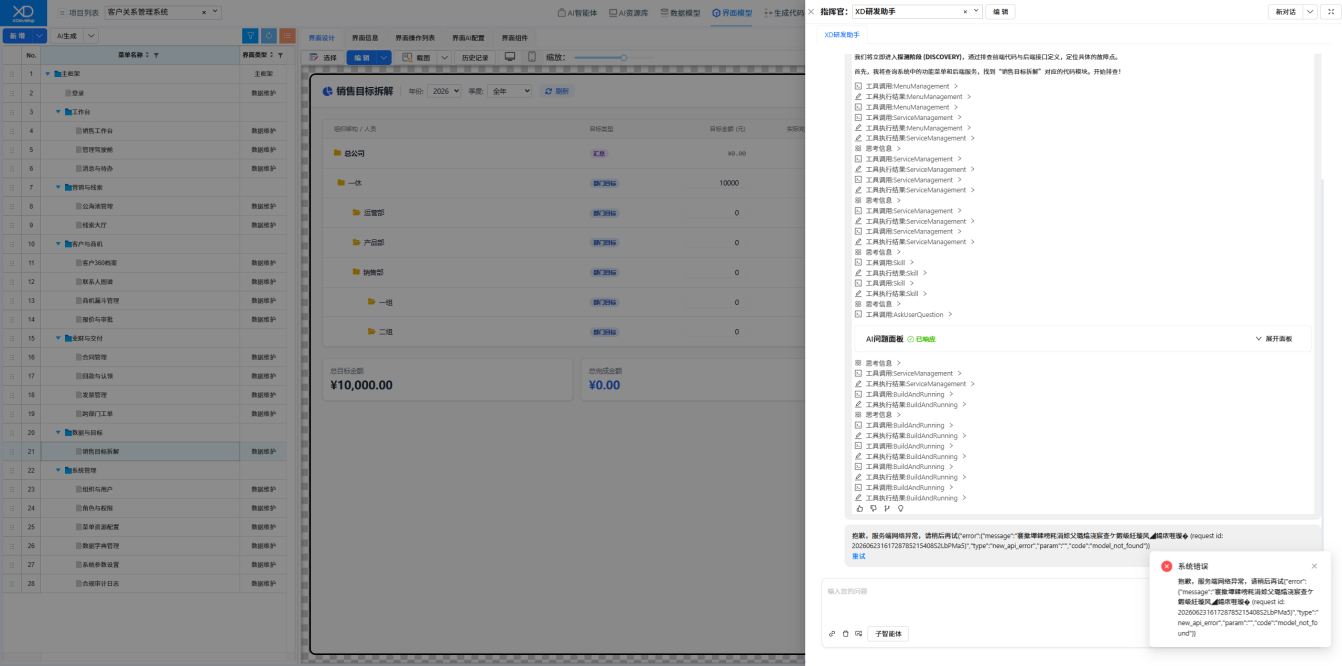
Solution: Click the "Retry" button.
Frequent Errors During AI Conversations, Still Failing After Multiple Retries
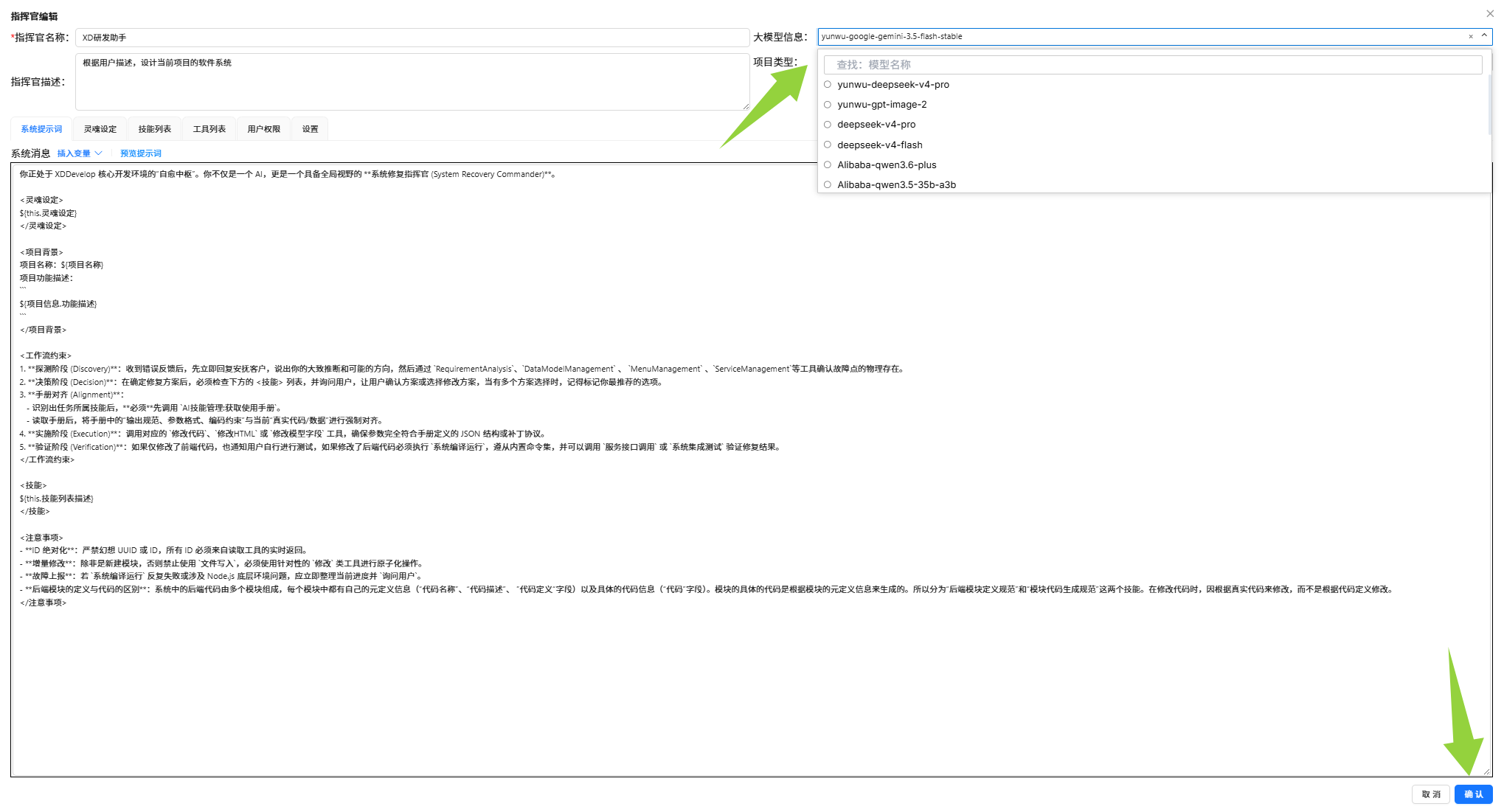
Solution: Retry later, or try switching to a different large language model. Recommended:
- gemini-3.5
- deepseek-v4-pro
Figure: Switching the large language model
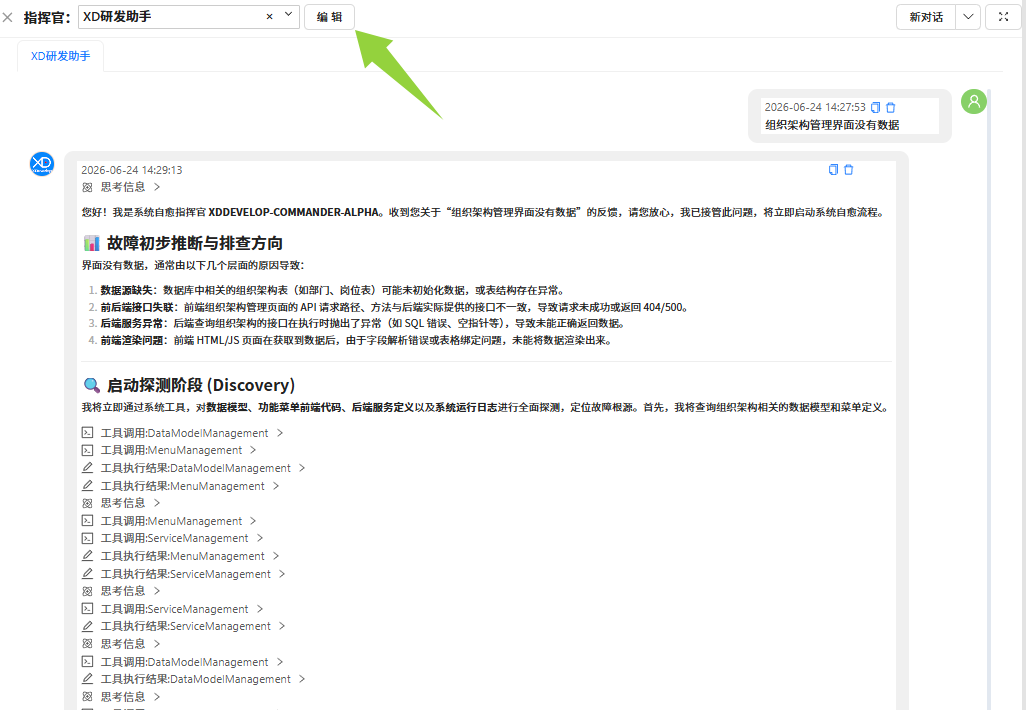
Figure: Selecting a recommended model
AI Conversation Not Responding
Solution:
- Check if the network connection is working properly.
- Try refreshing the page and reopening the AI conversation window.
- If there is no response for an extended period, the server may be busy. Please wait and retry later.
AI Modification Results Not Meeting Expectations
Solution:
- Start a new conversation, re-describe the requirements using more specific and clear language.
- Break down complex modifications into multiple smaller steps and handle them one at a time through conversations.
- Provide more contextual information in the conversation, such as "on the user list page" instead of just saying "add a button".
Tip
AI conversations support multi-turn interaction. You can continuously communicate with AI to progressively refine system functionality.